Skip to content
View in the app

A better way to browse. Learn more.

BariatricPal

A full-screen app on your home screen with push notifications, badges and more.

To install this app on iOS and iPadOS
  1. Tap the Share icon in Safari
  2. Scroll the menu and tap Add to Home Screen.
  3. Tap Add in the top-right corner.
To install this app on Android
  1. Tap the 3-dot menu (⋮) in the top-right corner of the browser.
  2. Tap Add to Home screen or Install app.
  3. Confirm by tapping Install.

Diva with a Date! !

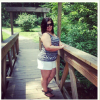
I just got great news!!!!! Approved and my surgery date is july 3rd. Super excited!!! Heres my before photo after photos in late july

[ATTACH]12200[/ATTACH]

post-54243-13813665197748_thumb.png

  • Replies 13
  • Views 1.2k
  • Created
  • Last Reply

Featured Replies

Congrats on getting your date! I am hoping for a July date as well.

  • Author
Congrats on getting your date! I am hoping for a July date as well.

Thanks ,I hope you do too!! Keep me posted and we could be buddies : )

  • 1 month later...

I'll be sleeved just two days before you, Diva! Can you believe how fast it's getting here?? *squee*

  • Author
I'll be sleeved just two days before you' date=' Diva! Can you believe how fast it's getting here?? *squee*[/quote']

I know sooooo excited!!!!! Let me know how it goes for you. Good luck and wishing you all the best on your journey ;-)

  • Author

Congrats!!! I'm here if you need anything

Thanks big. I'm glad I can always count on you :-)

God Bless both of u nd ur surgical team!! Keep us in the know:)

Gorgeous pic!!! Wishing you the best on your journey!

  • Author
Gorgeous pic!!! Wishing you the best on your journey!

Thanks! Same to you ;-)

  • 2 weeks later...
  • Author

Hi! I am on July 4th. Good luck.

Wow what a way to celebrate!!!! Congrats. I'm sure the 4th will even be more reason for festivities. I'm truly excited for all of us July sleevers. Good luck to you too. =)

Archived

This topic is now archived and is closed to further replies.

Trending Products

PatchAid Vitamin Patches

Account

Navigation

Search

Search

Configure browser push notifications

Chrome (Android)
  1. Tap the lock icon next to the address bar.
  2. Tap Permissions → Notifications.
  3. Adjust your preference.
Chrome (Desktop)
  1. Click the padlock icon in the address bar.
  2. Select Site settings.
  3. Find Notifications and adjust your preference.