Skip to content
View in the app

A better way to browse. Learn more.

BariatricPal

A full-screen app on your home screen with push notifications, badges and more.

To install this app on iOS and iPadOS
  1. Tap the Share icon in Safari
  2. Scroll the menu and tap Add to Home Screen.
  3. Tap Add in the top-right corner.
To install this app on Android
  1. Tap the 3-dot menu (⋮) in the top-right corner of the browser.
  2. Tap Add to Home screen or Install app.
  3. Confirm by tapping Install.

Protein Shake

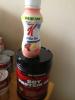
I blended one scoop of this soy Protein powder to this Special K Protein shake and it's not bad at all. 35 grams of protein this morning:)

post-35907-13813663563701_thumb.jpg

  • Replies 3
  • Views 532
  • Created
  • Last Reply

Featured Replies

They told us to watch the sugar intake with the Special K drinks! With adding Protein to it I'm sure you diluted it though!!

They told us to watch the sugar intake with the Special K drinks! With adding Protein to it I'm sure you diluted it though!!

Adding protein to it won't reduce the overall amount of sugar consumed unless the drink was split in to portions. The special K drinks are pretty low protein (around 10g) and high in carb (close to 30g). If you add Protein Powder to it, as she did, then you can get more protein, but the carbs won't go anywhere.

  • Author

Adding Protein to it won't reduce the overall amount of sugar consumed unless the drink was split in to portions. The special K drinks are pretty low protein (around 10g) and high in carb (close to 30g). If you add protein powder to it' date=' as she did, then you can get more protein, but the carbs won't go anywhere.[/quote']

I do realize the carbs are in there and this is my last time purchasing Special K, but I had them and didn't want them to go to waste.

Archived

This topic is now archived and is closed to further replies.

Trending Products

PatchAid Vitamin Patches

Account

Navigation

Search

Search

Configure browser push notifications

Chrome (Android)
  1. Tap the lock icon next to the address bar.
  2. Tap Permissions → Notifications.
  3. Adjust your preference.
Chrome (Desktop)
  1. Click the padlock icon in the address bar.
  2. Select Site settings.
  3. Find Notifications and adjust your preference.