Skip to content
View in the app

A better way to browse. Learn more.

BariatricPal

A full-screen app on your home screen with push notifications, badges and more.

To install this app on iOS and iPadOS
  1. Tap the Share icon in Safari
  2. Scroll the menu and tap Add to Home Screen.
  3. Tap Add in the top-right corner.
To install this app on Android
  1. Tap the 3-dot menu (⋮) in the top-right corner of the browser.
  2. Tap Add to Home screen or Install app.
  3. Confirm by tapping Install.

Quick Hello And Update.

Hey everyone. Im still around, mostly read your post and havent posted much. Lets see I am 1 yr and almost 3 months out. Loving life and doing great. My Dr told me a couple weeks ago i am the picture of health and in better shape than most of his 20 yr old patients. :-)

Hang in there and work hard for goal. Yiu can do this!!!

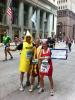
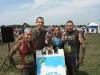
Thats me on saturday with friends at the end of the muddy buddy in Chicago. 4.5 miles of fun and dirt. Then us on sunday running the Rock and Roll half marathon. Or marathin as i like to call it. :-).

post-8431-13813659350728_thumb.jpg

post-8431-1381365935135_thumb.jpg

  • Replies 3
  • Views 623
  • Created
  • Last Reply

Top Posters In This Topic

Posted Images

Featured Replies

I had my son at Ft. Sill/Lawton, OK! You look great! Congrats!

Love the pics, congrats on your success!!!

Wow you look great. I would have never guessed that you had wls.

Join the conversation

You can post now and register later. If you have an account, sign in now to post with your account.

Guest
Reply to this topic...

Trending Products

PatchAid Vitamin Patches

Account

Navigation

Search

Search

Configure browser push notifications

Chrome (Android)
  1. Tap the lock icon next to the address bar.
  2. Tap Permissions → Notifications.
  3. Adjust your preference.
Chrome (Desktop)
  1. Click the padlock icon in the address bar.
  2. Select Site settings.
  3. Find Notifications and adjust your preference.