Skip to content
View in the app

A better way to browse. Learn more.

BariatricPal

A full-screen app on your home screen with push notifications, badges and more.

To install this app on iOS and iPadOS
  1. Tap the Share icon in Safari
  2. Scroll the menu and tap Add to Home Screen.
  3. Tap Add in the top-right corner.
To install this app on Android
  1. Tap the 3-dot menu (⋮) in the top-right corner of the browser.
  2. Tap Add to Home screen or Install app.
  3. Confirm by tapping Install.
  • Cart

Here To Help

Hi,

This site has been so much help to me during my whole journey and I feel I would like to help anyone who may have questions. I am no wight loss guru or anything but I would love to share what worked for my and share any information that may be helpful. Check out my profile and feel free to ask anything at all.

  • Replies 7
  • Views 796
  • Created
  • Last Reply

Top Posters In This Topic

Featured Replies

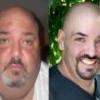
Dang!!! That's a remarkable Before/After!! You turned out real purdy!!

  • Author

Thank you, Ma'am! I appreciate it and never get tired of the compliments! :) How are things in the Bluegraas state this afternoon?

WOW Chris!! Awesome, awesome job!!!! What meal/exercise plan do you follow?? How has it changed from the 3-6 months out??

It's rainy today, as was yesterday. But that's ok - keeps the bluegrass blue!

Wow, you look amazing! Congrats on all your hard work!

  • Author

Thanks! My meal plan is to limit carbs to breakfast or lunch but other than that I eat everything. The only real rule I follow is to stop eating the minute I start to feel full. I walk/run for 1 hour three times a week. I wasn't really exercising early on. I am going to get about 10 pounds of excess skin removed from my lower abdomen later this month thats been hindering my running. I am hoping to increase my workouts once I'm all healed.

Cool!! Thanks!!

Join the conversation

You can post now and register later. If you have an account, sign in now to post with your account.

Guest
Reply to this topic...

Trending Products

PatchAid Vitamin Patches

Account

Navigation

Search

Search

Configure browser push notifications

Chrome (Android)
  1. Tap the lock icon next to the address bar.
  2. Tap Permissions → Notifications.
  3. Adjust your preference.
Chrome (Desktop)
  1. Click the padlock icon in the address bar.
  2. Select Site settings.
  3. Find Notifications and adjust your preference.