Skip to content
View in the app

A better way to browse. Learn more.

BariatricPal

A full-screen app on your home screen with push notifications, badges and more.

To install this app on iOS and iPadOS
  1. Tap the Share icon in Safari
  2. Scroll the menu and tap Add to Home Screen.
  3. Tap Add in the top-right corner.
To install this app on Android
  1. Tap the 3-dot menu (⋮) in the top-right corner of the browser.
  2. Tap Add to Home screen or Install app.
  3. Confirm by tapping Install.

Flipped port?

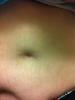
So.. I'm currently 9 months post op, down 125lbs. Woke up this morning with a wicked pain at my poor site and my port indented in my body, when it's always protruded out a bit. It's like a second belly button and it huuuuuurrts! I have no troubles eating or drinking.. But the pain increases as I ingest anything. And YES I am waiting in emerg right now waiting... Any thoughts?

post-218856-1381313533231_thumb.jpg

post-342097-13813142217297_thumb.jpg

  • Replies 2
  • Views 739
  • Created
  • Last Reply

Featured Replies

So.. I'm currently 9 months post op, down 125lbs. Woke up this morning with a wicked pain at my poor site and my port indented in my body, when it's always protruded out a bit. It's like a second belly button and it huuuuuurrts! I have no troubles eating or drinking.. But the pain increases as I ingest anything. And YES I am waiting in emerg right now waiting... Any thoughts?

post-342097-13813142217297_thumb.jpg

the picture is your port , I have been having pain on my port side it is like throbbing weather I eat or not Getting stuck a lot not sure if eating to. Fast. The wrong thing or not chewing enough or to big of bites , I hope you are going to be ok. The best of luck to you keep us posted ok

My port flipped, I had pain and it was a simple day surgery fix. I no longer have pain. Good luck to you.

Archived

This topic is now archived and is closed to further replies.

Trending Products

PatchAid Vitamin Patches

Account

Navigation

Search

Search

Configure browser push notifications

Chrome (Android)
  1. Tap the lock icon next to the address bar.
  2. Tap Permissions → Notifications.
  3. Adjust your preference.
Chrome (Desktop)
  1. Click the padlock icon in the address bar.
  2. Select Site settings.
  3. Find Notifications and adjust your preference.