Skip to content
View in the app

A better way to browse. Learn more.

BariatricPal

A full-screen app on your home screen with push notifications, badges and more.

To install this app on iOS and iPadOS
  1. Tap the Share icon in Safari
  2. Scroll the menu and tap Add to Home Screen.
  3. Tap Add in the top-right corner.
To install this app on Android
  1. Tap the 3-dot menu (⋮) in the top-right corner of the browser.
  2. Tap Add to Home screen or Install app.
  3. Confirm by tapping Install.

Large Shirt!!

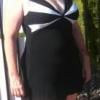
Today I went into American Eagle to buy some jeans for my son. While in the store I saw a shirt that I thought was cute so I picked up the XL to try it on....It was too big. I fit into a LARGE!!! I don't remember the last time I fit into a large. When I started my journey I was in a 2x top (and it was tight). YEAH!

  • Replies 9
  • Views 992
  • Created
  • Last Reply

Featured Replies

Awesome NSV!!!

WOOHOO for you!

That's great!!! :D

That is awesome! Keep up the good work!

Isn't it a GREAT feeling? Keep enjoying these small victories!

Woohoo!

What a great feeling! My daughter told me that when I get to be her size, we can share clothes, lol

Cool!!!

Terrific,

A few weeks ago I gave my XL pull over shirts to my grandson and back into a Large again. Gave some of my pants to my son.

Archived

This topic is now archived and is closed to further replies.

Trending Products

PatchAid Vitamin Patches

Account

Navigation

Search

Search

Configure browser push notifications

Chrome (Android)
  1. Tap the lock icon next to the address bar.
  2. Tap Permissions → Notifications.
  3. Adjust your preference.
Chrome (Desktop)
  1. Click the padlock icon in the address bar.
  2. Select Site settings.
  3. Find Notifications and adjust your preference.