Skip to content
View in the app

A better way to browse. Learn more.

BariatricPal

A full-screen app on your home screen with push notifications, badges and more.

To install this app on iOS and iPadOS
  1. Tap the Share icon in Safari
  2. Scroll the menu and tap Add to Home Screen.
  3. Tap Add in the top-right corner.
To install this app on Android
  1. Tap the 3-dot menu (⋮) in the top-right corner of the browser.
  2. Tap Add to Home screen or Install app.
  3. Confirm by tapping Install.

Running NSV!

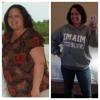
8 weeks ago I was 1 month post op and decided to start the C25K program to help boost the weight loss efforts. I started out running at 30 second intervals and felt like I was going to D.I.E and could barely breathe...

I almost quit.

But I didn't...and I am so glad.

Today I packed my kids in the buggy and ran 2 miles without stopping...30 full minutes.

I didn't run fast, but I RAN. I've signed up for 2 5k runs in September/October and now I KNOW I can make that 3.1 miles.

I love my lapband!

  • Replies 5
  • Views 671
  • Created
  • Last Reply

Featured Replies

So proud of you girl! Way to go! :)

Very good! Congratulations!!! Just keep doing it. Next time you check you will sign up for a 10K :)

You're awesome ! Way to go !

I love c25k..great program to learn to run w out hurting oneself... congrats!

Good job Anna!

Archived

This topic is now archived and is closed to further replies.

Trending Products

PatchAid Vitamin Patches

Account

Navigation

Search

Search

Configure browser push notifications

Chrome (Android)
  1. Tap the lock icon next to the address bar.
  2. Tap Permissions → Notifications.
  3. Adjust your preference.
Chrome (Desktop)
  1. Click the padlock icon in the address bar.
  2. Select Site settings.
  3. Find Notifications and adjust your preference.