Skip to content
View in the app

A better way to browse. Learn more.

BariatricPal

A full-screen app on your home screen with push notifications, badges and more.

To install this app on iOS and iPadOS
  1. Tap the Share icon in Safari
  2. Scroll the menu and tap Add to Home Screen.
  3. Tap Add in the top-right corner.
To install this app on Android
  1. Tap the 3-dot menu (⋮) in the top-right corner of the browser.
  2. Tap Add to Home screen or Install app.
  3. Confirm by tapping Install.

Starting Liquid Diet

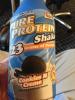
Well weight loss comrades, I officially started my pre-op liquid diet today. My surgery is on Monday. I've attached a copy of my delicious Breakfast I had this morning!

The in-laws are coming today. They are flying in from overseas to help my wife and I with the kids during my recovery.

Wish me luck!!!

post-346036-13813141612872_thumb.jpg

  • Replies 5
  • Views 658
  • Created
  • Last Reply

Featured Replies

Best of luck to you!

gOOD LUCK .. MY Surgery date is 05/21-- good luck

Good luck and If I can do it anyone can! Banded on May 2, 2013 :rolleyes:

  • Author

Well I got home from work today and the wife and kids had KFC, which smells delicious, but I'm being a good boy and munching on sugar free Popsicles and having chicken broth. LOL

Well I got home from work today and the wife and kids had KFC' date=' which smells delicious, but I'm being a good boy and munching on sugar free Popsicles and having chicken broth. LOL[/quote']

Lol my third day on pre-op diet we had a family gathering at my son's school. pizza, salad, brownies, Cookies, pop.... I sat and drank my Water Lol. It was tough, but worth it!! Good luck!! I went through like 4 large boxes of SF Popsicles on my pre-op diet! They were my favorite thing!!

Archived

This topic is now archived and is closed to further replies.

Trending Products

PatchAid Vitamin Patches

Account

Navigation

Search

Search

Configure browser push notifications

Chrome (Android)
  1. Tap the lock icon next to the address bar.
  2. Tap Permissions → Notifications.
  3. Adjust your preference.
Chrome (Desktop)
  1. Click the padlock icon in the address bar.
  2. Select Site settings.
  3. Find Notifications and adjust your preference.