Skip to content
View in the app

A better way to browse. Learn more.

BariatricPal

A full-screen app on your home screen with push notifications, badges and more.

To install this app on iOS and iPadOS
  1. Tap the Share icon in Safari
  2. Scroll the menu and tap Add to Home Screen.
  3. Tap Add in the top-right corner.
To install this app on Android
  1. Tap the 3-dot menu (⋮) in the top-right corner of the browser.
  2. Tap Add to Home screen or Install app.
  3. Confirm by tapping Install.

Happy Easter!

  • Replies 8
  • Views 879
  • Created
  • Last Reply

Top Posters In This Topic

Posted Images

Featured Replies

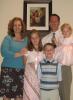
Ohhhhhhh Diane, your photo gave me goose bumps. I really could cry. You look so awesome and your family is just beautiful. You are very blessed. You really give me hope. I watched some video of us yesterday during the easter egg hunt, etc...and I was so saddened by how big I still look/am....but !!!!!! your photo keeps me going.

Thanks for posting it and I LOVE the photo behind you all.

Hugs !!

Hi Eieen!! - Did you change your picture?!?! :) Am I talking to the same New Jersey Chick?!? Your comments are very nice!! I soooo understand the seeing yourself in photos & being disappointed. I used to cry when there were pictures that had to be taken. I always positioned myself conventiently in the back. This is the first time I don't shy away & actually LIKE taking photos. I still can't believe the person in the picture is ME!!!!!! Your day will come. Hang in there.

Dianechef~ You have a very beautiful family....and you look amazing!!!! Thanks for sharing your picture with us!!!

Hope everyone else had a great holiday and each day we have all year long is a Blessing for sure!!!

Join the conversation

You can post now and register later. If you have an account, sign in now to post with your account.

Guest
Reply to this topic...

Trending Products

PatchAid Vitamin Patches

Account

Navigation

Search

Search

Configure browser push notifications

Chrome (Android)
  1. Tap the lock icon next to the address bar.
  2. Tap Permissions → Notifications.
  3. Adjust your preference.
Chrome (Desktop)
  1. Click the padlock icon in the address bar.
  2. Select Site settings.
  3. Find Notifications and adjust your preference.