





nurseghana
Gastric Sleeve Patients
-
Joined
-
Last visited
-
nurseghana changed their profile photo
-
From Chicago had surgery 2/27/2013
-
Who had surgery there more information please team2015
-
nurseghana, a weight loss surgery photo album by nurseghana on BariatricPal. 4 photos in Before and After Gastric Sleeve Photos.
-
-
Hello
-
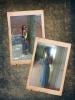
Still have 20 more to go [ATTACH]17343[/ATTACH]
 U doing gr8 I am 5'6
 HoosierGirl reacted to a post in a topic:
FEBRUARY SLEEVERS 2013....how you doing after you've been Sleeved
Skokie Illinois
nurseghana reacted to a post in a topic:
FEBRUARY SLEEVERS 2013....how you doing after you've been Sleeved
I was sleeved 2/27 /2013 Now 189 5'6Me tooThanks now i am 194Thanks I am a slow losers
HoosierGirl reacted to a post in a topic:
FEBRUARY SLEEVERS 2013....how you doing after you've been Sleeved
Skokie Illinois
nurseghana reacted to a post in a topic:
FEBRUARY SLEEVERS 2013....how you doing after you've been Sleeved
I was sleeved 2/27 /2013 Now 189 5'6Me tooThanks now i am 194Thanks I am a slow losers







Account
Navigation
Search
Configure browser push notifications
Chrome (Android)
- Tap the lock icon next to the address bar.
- Tap Permissions → Notifications.
- Adjust your preference.
Chrome (Desktop)
- Click the padlock icon in the address bar.
- Select Site settings.
- Find Notifications and adjust your preference.
Safari (iOS 16.4+)
- Ensure the site is installed via Add to Home Screen.
- Open Settings App → Notifications.
- Find your app name and adjust your preference.
Safari (macOS)
- Go to Safari → Preferences.
- Click the Websites tab.
- Select Notifications in the sidebar.
- Find this website and adjust your preference.
Edge (Android)
- Tap the lock icon next to the address bar.
- Tap Permissions.
- Find Notifications and adjust your preference.
Edge (Desktop)
- Click the padlock icon in the address bar.
- Click Permissions for this site.
- Find Notifications and adjust your preference.
Firefox (Android)
- Go to Settings → Site permissions.
- Tap Notifications.
- Find this site in the list and adjust your preference.
Firefox (Desktop)
- Open Firefox Settings.
- Search for Notifications.
- Find this site in the list and adjust your preference.