
Stephanie howey
Gastric Bypass Patients
-
Joined
-
Last visited
-
-
-
-
-
I have used it before I also use no sugar added hot coco from best choice
-
-
I see the primary doctor again on December 26
-
I see the primary doctor again on December 26
-
-
-
-
I been stilli having issues throwing up and stomach pain I’m 2 1/2 years out any one have this issue also blood spike then drop and stay low a lot anyone else have issues
-
June 14 2021
-
I have been better found out the more depressed I get the more my memory goes it sucks
-
 Stephanie howey reacted to a post in a topic:
Mental health issues n memory issues ater gastric bypass
Stephanie howey reacted to a post in a topic:
Mental health issues n memory issues ater gastric bypass
-
Stephanie howey reacted to a post in a topic:
Mental health issues n memory issues ater gastric bypass
-
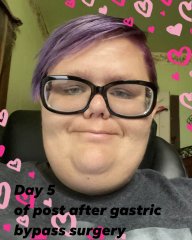
Stephanie howey changed their profile photo
-
-
-
-
-
-
I think it was also my iron levels
-
Being able to fit on fair rides first time since 2010
-
-
That sounds like a good idea
-
-
Stephanie howey reacted to a post in a topic:
Mental health issues n memory issues ater gastric bypass
-
Update i 7/19/22 im able to eat thin crust pizza i buy frozen then come home cook it n pat it down with a paper towel to get the extra greasy off then i can eat one piece sometime alot of time i only eat half a slice
-
-
I been talking to a therapist about it
-
Stephanie howey reacted to a post in a topic:
Mental health issues n memory issues ater gastric bypass
-
Love it to add it to coffee
-
I do 12oz strong coffee and then i do 2scoops bariatricpal hot coco and 3 individual packs njoy creamer And 8oz almond milk
-
bad memory problems and worser mental health issues “ since surgery my depression has got so bad i fight every day to get and have any movation to do anything every day and then i just got diagnosed with boredline personality disorder 6 months after gastric bypass and then it seems like everyday my memory geting worse and worse but labs are good i just don’t understand it and then my narcolepsy was geting better at first now its worse but i dont know if its that or the depression talking im so depressed all the time i feel like have nothing to help me with it then everytime i walk or workout my blood sugar drops to 70 not inless i eat fuirt all day help someone
-
Wondering if after gastric bypass has ever had bad memory problems and worser mental health issues “ since surgery my depression has got so bad i fight every day to get and have any movation to do anything every day and then i just got diagnosed with boredline personality disorder 6 months after gastric bypass and then it seems like everyday my memory geting worse and worse but labs are good i just don’t understand it and then my narcolepsy was geting better at first now its worse but i dont know if its that or the depression talking im so depressed all the time i feel like have nothing to help me with it then everytime i walk or workout my blood sugar drops to 70 not inless i eat fuirt all day help someone


.png "Care")