.jpeg.d5b2b8839c109511cd642965c21a2e15.jpeg)
Luzbella
Gastric Bypass Patients
-
Joined
-
Last visited
Everything posted by Luzbella
-
I feel you! I’m July 30 for gastric bypass and I feel like I’m so close and yet so FAR!
-
My surgical coordinator called to confirm my surgery date. July 30th 6 am. I start my 2 wk liquid diet July 16th. I will have it at the Roger Williams Hospital. Bariatric founder and director doctor Dieter Polh is doing my surgery. I’m very excited! Thanks for adding me to the list.
-
Wow I’m having my surgery July 30th also. Working on my list as well. I also have some hair ties and neck pillow.
-
Me too!
-
Yes! Your day is right around the corner! Stay strong ?? you GOT this! I can’t wait for July 30th for mine. ?
-
I’m having my GBP July 30th. 39 days and counting! I am so excited and just want the day to get here already. My whole process took about 5 months to complete. Beginning with my first appointment with the surgeon, to the last appointment with him to sign the surgery papers after the insurance approved it. That was late May and the first week of June I was given the surgery date. Y’all keep your heads up and stay strong. ?
-
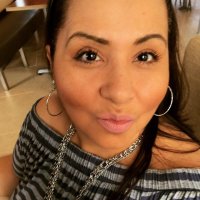
These are pictures of who I am today, before my surgery.
-
July 30th! 44 days to go. Go luck ?