Amandy31
Pre Op
-
Joined
-
Last visited
-
-
-
-
-
-
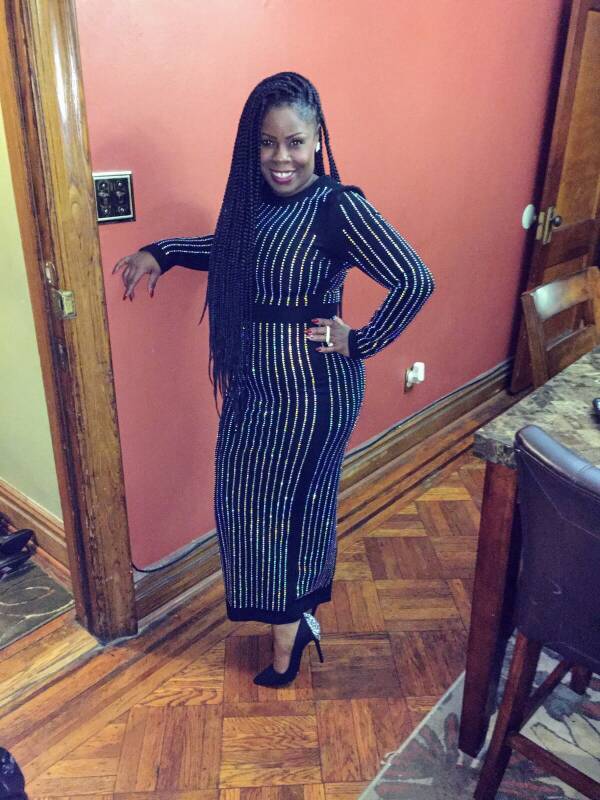
I had surgery October 3,2016. I started @ 204lb I am now 149. In a size 6-8 from 14-16. Good luck you can achieve your goals [emoji3] Sent from my Z981 using BariatricPal mobile app
-
-
Yes you are that was my surgery day measurements. Sent from my Z981 using BariatricPal mobile app
-
 Amandy31 reacted to a post in a topic:
Hubby says " you aren't the one that has to be attracted to you" ..., WHAT?
Amandy31 reacted to a post in a topic:
Hubby says " you aren't the one that has to be attracted to you" ..., WHAT?
-
-
-
-
-
-
-
-
-
-
-
-
-
My journey sw201 cw170 Sent from my Z981 using the BariatricPal App

-
You look great! Congratulations Sent from my Z981 using the BariatricPal App
-
Congratulations Sent from my Z981 using the BariatricPal App
-
-
I had a great experience. I had my surgery almost 2 months after my first dr appointment Sent from my Z981 using the BariatricPal App
-
My sw 200 on 10/3 I now weigh 180. Give it time and make sure your exercising. Stay positive Sent from my HTC Desire 626s using the BariatricPal App
-
Stay away from the alcohol. I am serious!!! Sent from my HTC Desire 626s using the BariatricPal App
-
Walk walk walk!!! Sent from my HTC Desire 626s using the BariatricPal App
-
Take it easy but the more walking the better you'll feel Sent from my HTC Desire 626s using the BariatricPal App
-
Congratulations!!! Sent from my HTC Desire 626s using the BariatricPal App
-
4wks post op and it getting easier to complete 64oz. Take it one day at a time. Everyone experience is different. I talked to my nutritionist and she explained about how heavy the density of Water is and gave me an alternative like green tea. Sent from my HTC Desire 626s using the BariatricPal App
-
Had my surgery 10/3 also, no pain but a little tired. I pray you feel better soon. Definitely talk to your surgeon ASAP. Sent from my HTC Desire 626s using the BariatricPal App
-
Taking it one day at a time 16lbs down Sent from my HTC Desire 626s using the BariatricPal App
-
I am 3wks post op and had lemon Water to yesterday for the 1st time. Everything was fine it taste great too Sent from my HTC Desire 626s using the BariatricPal App