erik78
Gastric Sleeve Patients
-
Joined
-
Last visited
-
-
-
-
-
-
-
-
-
I do Bulletproof, and have had great success. But everyone is different. The coffee kick starts my day, and I still get my needed protein in throughout the day and I feel fully energized . After a year of surgery, when I don't bulletproof, I don't lose weight or very little, when I start it back up, I usually lose 2-3 pounds a week, even 1 year post op.
-
-
-
Maybe we are thinking of different types of fasting. I'm talking about the Dave Asprey's Bulletproof method( he considers it fasting as there is no food, just oils and coffee" too may make the mistake of doing low carb and low fat. The high fat coffee is a great way to kick start your high fat day. I've broken every weight loss plateau I've had doing it.
-
Hey! I IF EVERYDAY. NO BREAKFAST, I do bulletproof coffee instead and then HFLC the rest of the day.
-
You look awesome! Keep it up
-
Your welcome and I wish you well as your body adjusts over the next few months. It's natural to want to lose weight so fast, I just don't think it's necessary, and certainly not it you want to avoid most loose skin. Obviously the larger a persons frame the harder it is to avoid that, but working out and adding more calories certainly can help. I'm rooting for you.
-
Thank you so much
-
What a difference! Especially in the face. Hope you it your goal.
-
Thanks! I appreciate that
-
-
-
Shan0520 you can do it!! I still hate the Gym, lol, but it's a must to help the skin issue as much as possible. I'm rooting for you!
-
-
erik78 changed their profile photo
-
Remarkable weight loss!!! You look great.
-
-
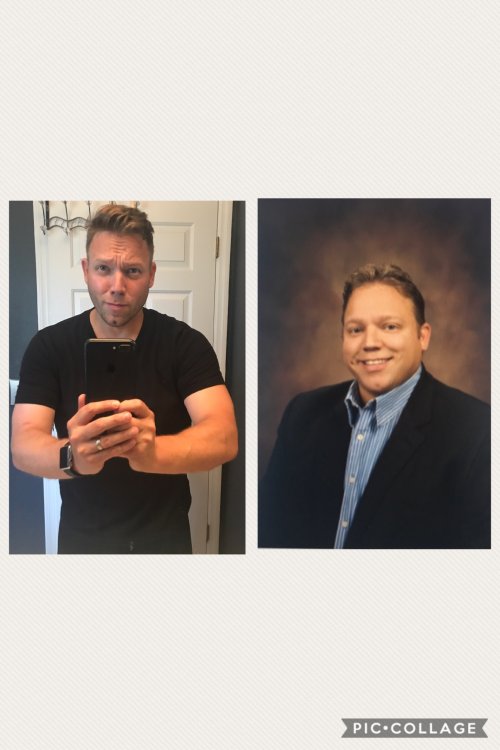
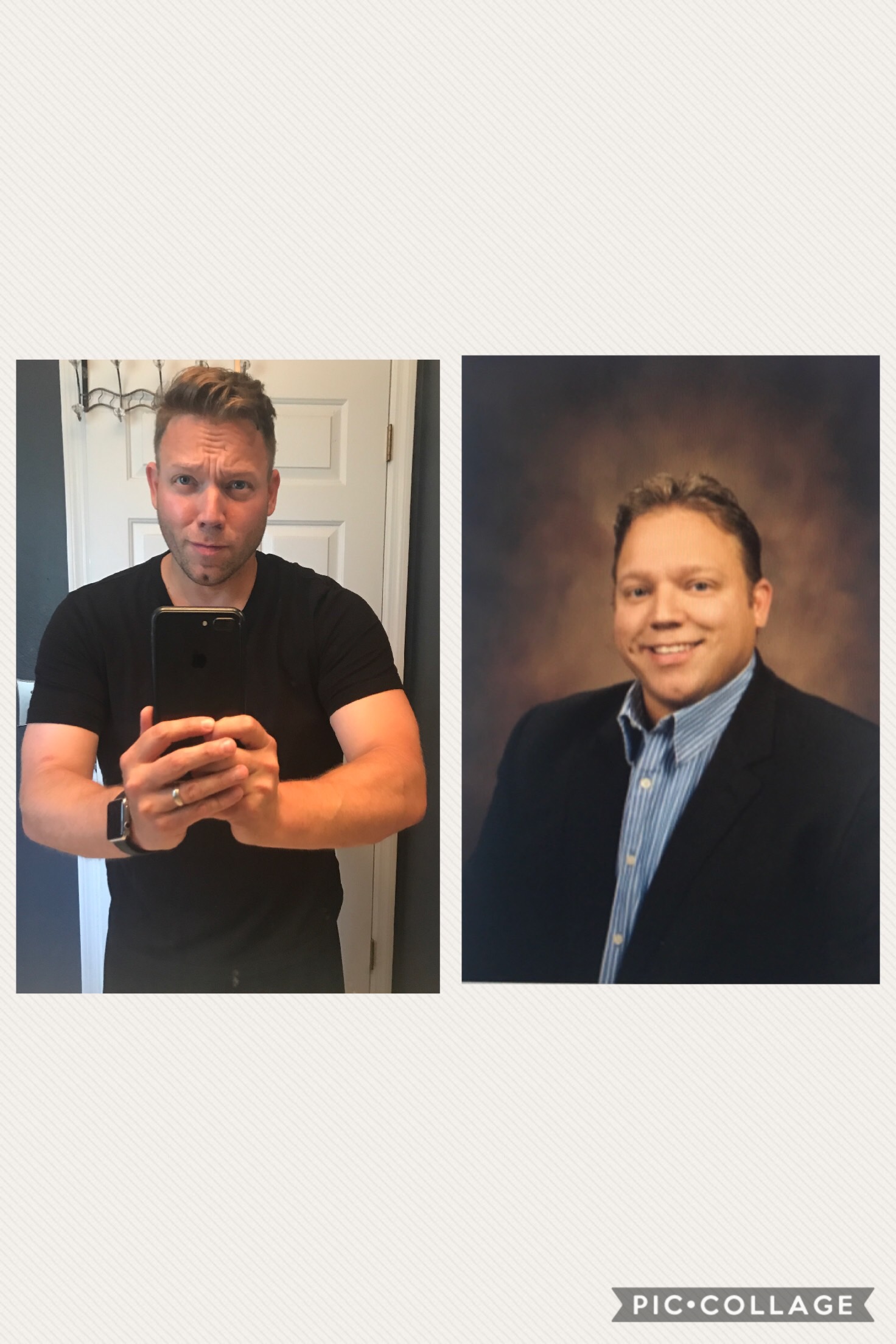
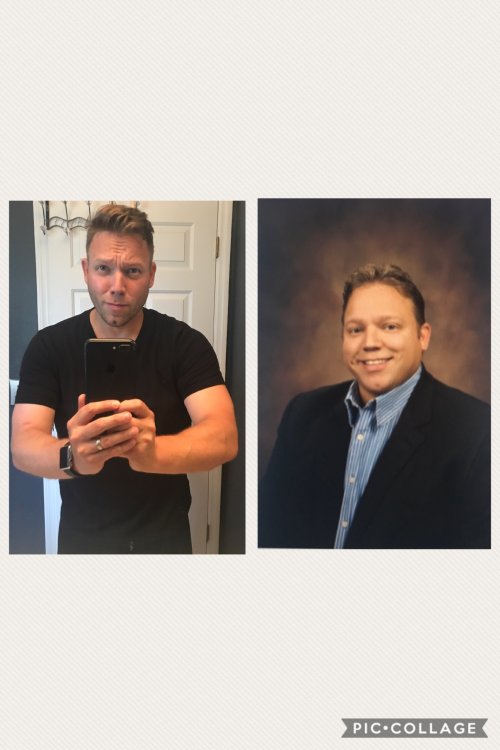
Here is my one year post op photo. Much success to all!!
-
Lol. That's quite the compliment. Thanks
-
-
Wow!! Super motivating. Keep up the good work.
-
Thanks for the positive comments!! My family have been the best support system a guy can ask for.
-
-
-
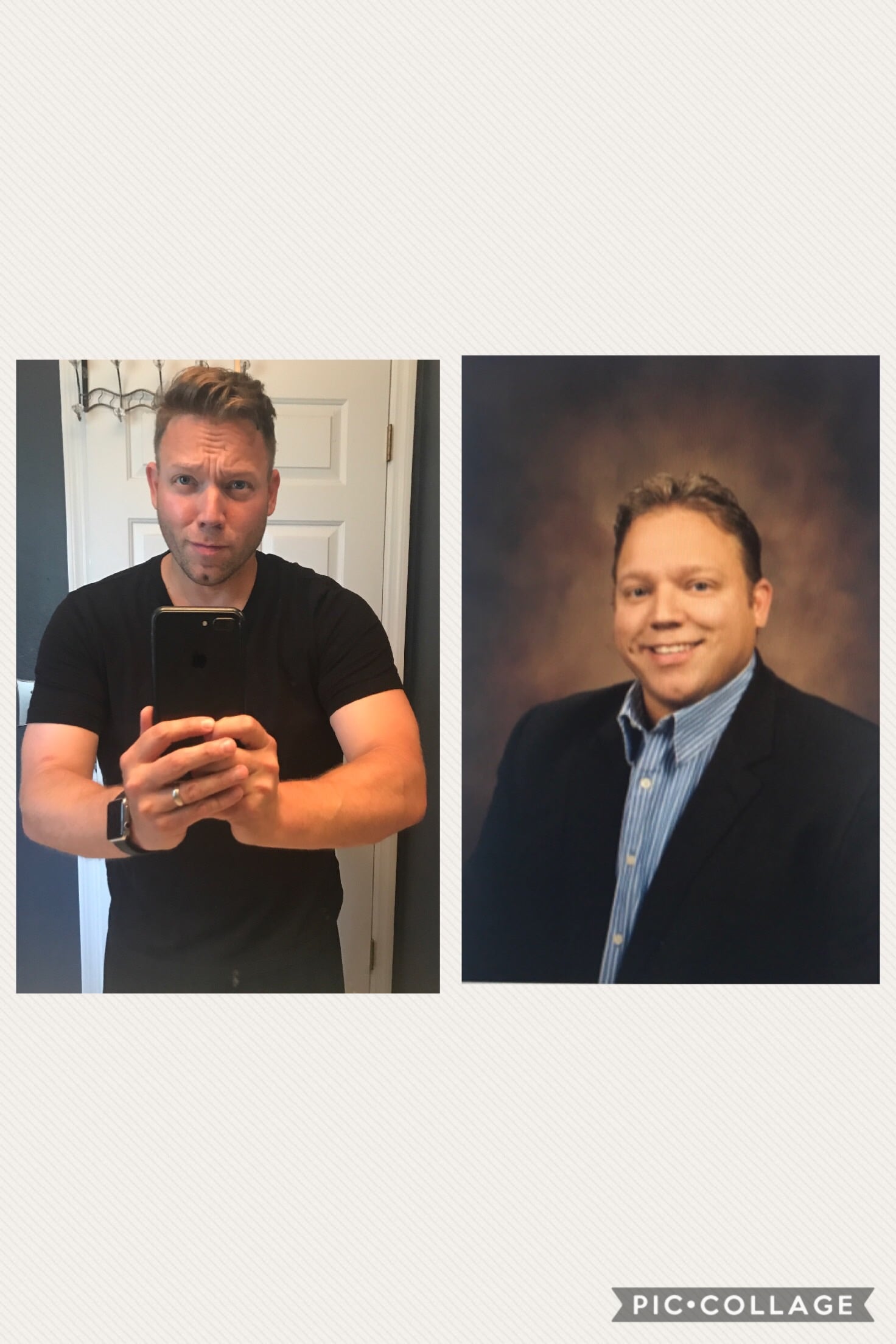
About year ago, I had my gastric sleeve surgery. Its been a crazy time learning exactly how my body interacts with different foods. The truth is, everyone is different, and you just have to learn for yourself what will work for you. Im not perfect. I eat pizza from time to time. Ive blown it out a weekend or 2, or 3. But then I review everything my doctor told me, and I bounce back. From the start I told my doctor that I never wanted to be fat again, I did not want to lose hair and I didn't want loose skin. Well, I did lose some hair, quite a bit at first. It hasn't come back, but is has stopped falling out... I think. I was advised that no matter what, if I lose weight fast, I will have loose skin. So Ive been determined to lose weight as slow as possible. I take in more calories and food than is probably recommended, but I also work out. I started out close to 300 pounds. Today I'm about 206. I lost a bulk in the first month, then about 50 plus pounds over the next 10 months. A part of me wanted to lose much more per month, but I also did not have any loose skin, which was a (superficial) goal. My goal is to get down to around 170-180. Ive been trying to amp it up a bit in the Gym to accomplish that. The most satisfying part of my weight loss journey has been all the energy I have to spend on my 2 young sons and my beautiful wife. I just turned 39, and I feel better than I ever have, ( with the exception of a little knee tendonitis) I sometimes forget my vitamins, and occasionally fall back into bad eating habits, but instead of gaining 30 pounds like before, the scale my move just a few ticks up, enough to put me into panic mode and get on track. Im off all my meds, no more high blood pressure, no high cholesterol, no acid reflux ( just finsteride for hair loss). I look forward to the next year and continuing toward my goal. I wish everyone well, and hope all those who are just beginning the process great success!