
Iscarelys
Gastric Bypass Patients
-
Joined
-
Last visited
Everything posted by Iscarelys
-
Thank you so much love! Happy New Year! [emoji173][emoji323][emoji322] Sent from my LGL164VL using BariatricPal mobile app
-
Thank you so much! I feel amazing! [emoji173] Happy New Year! Sent from my LGL164VL using BariatricPal mobile app
-
Feeling the best I have EVER been!
-
Thank you so much My love! [emoji5] Blessed Holidays to you and yours! [emoji120][emoji173]
-
I feel like crying guys! What an amazing journey of discovering myself and learning how to love me again [emoji173]
-
Thank you! [emoji5] Sent from my LGL164VL using BariatricPal mobile app
-
Thank you love [emoji4] Sent from my LGL164VL using BariatricPal mobile app
-
[emoji8] [emoji7] Sent from my LGL164VL using BariatricPal mobile app
-
Thank you so much! [emoji4] [emoji5] Sent from my LGL164VL using BariatricPal mobile app
-
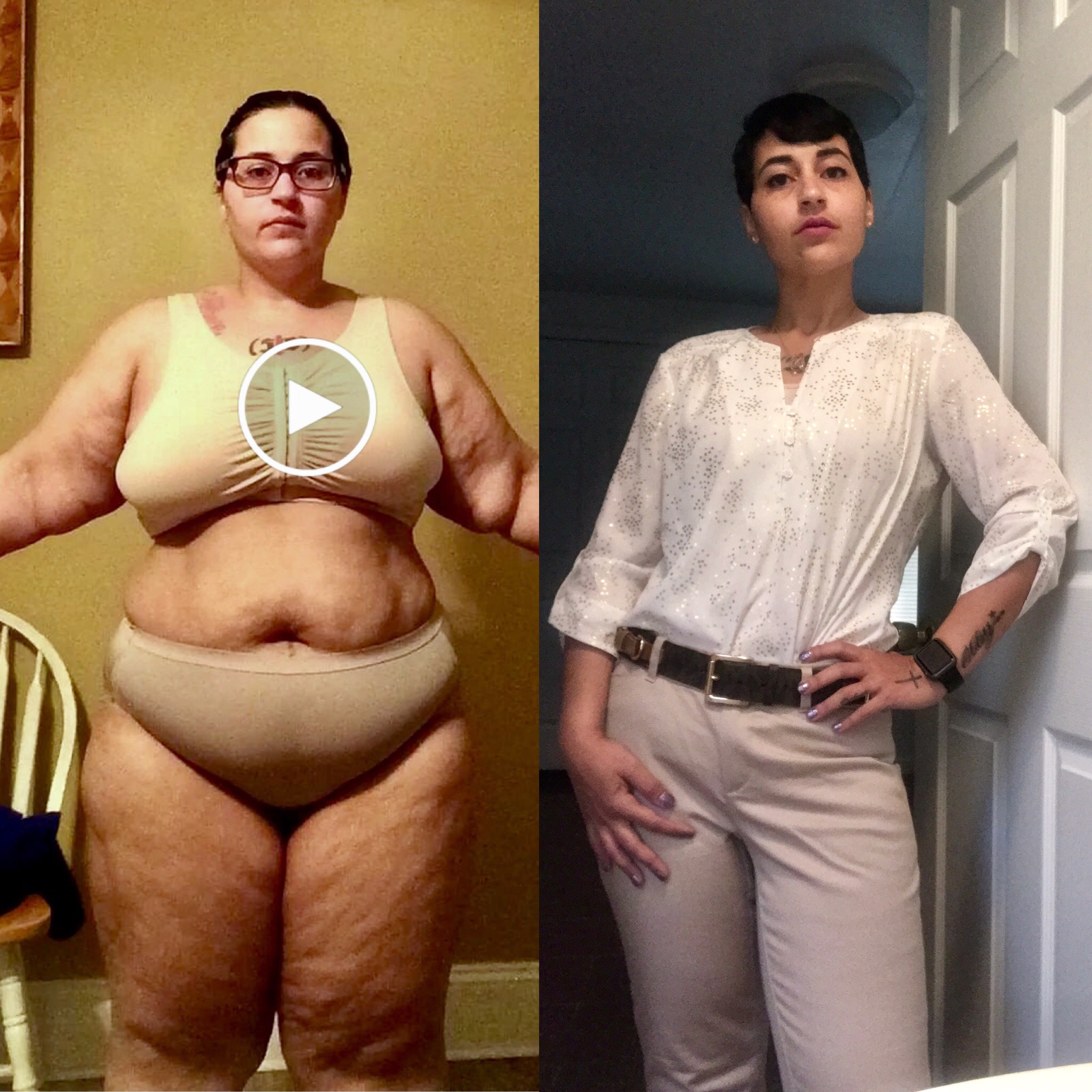
289.7LBS on the left. 138LBS on the right. 16 months post-op.
-
Yasssss I did that!
-
From 289.7LBS to 138LBS, 15 months post-surgery!
-
Thank you so much doll [emoji4][emoji813]️
-
Thank you so much [emoji4]
-
Thank you love [emoji4]
-
You got me blushing over here [emoji85] thank you so much!
-
Thank you so much [emoji4]
-
Thank you so much love [emoji4]
-
Thank you doll [emoji4]
-
Thank you so much [emoji4]
-
Gahhhh! Beyond excited and proud of myself [emoji4][emoji847]!
-
Thank you so much Lisa [emoji4][emoji813]️
-
Thank you! You will get there [emoji813]️
-
Thank you so much Johnny [emoji4]
-
Thank you Luisa [emoji813]️[emoji847] Very true indeed!