-
-
Pittsburgh Pa
Anyone live close to fox chapel?
-
Pittsburgh Pa
Ya they are all nice, I'm having some complications right now but I'm 80lbs down
-
Pittsburgh Pa
- March 2013 Post Op "A New Life 2013"
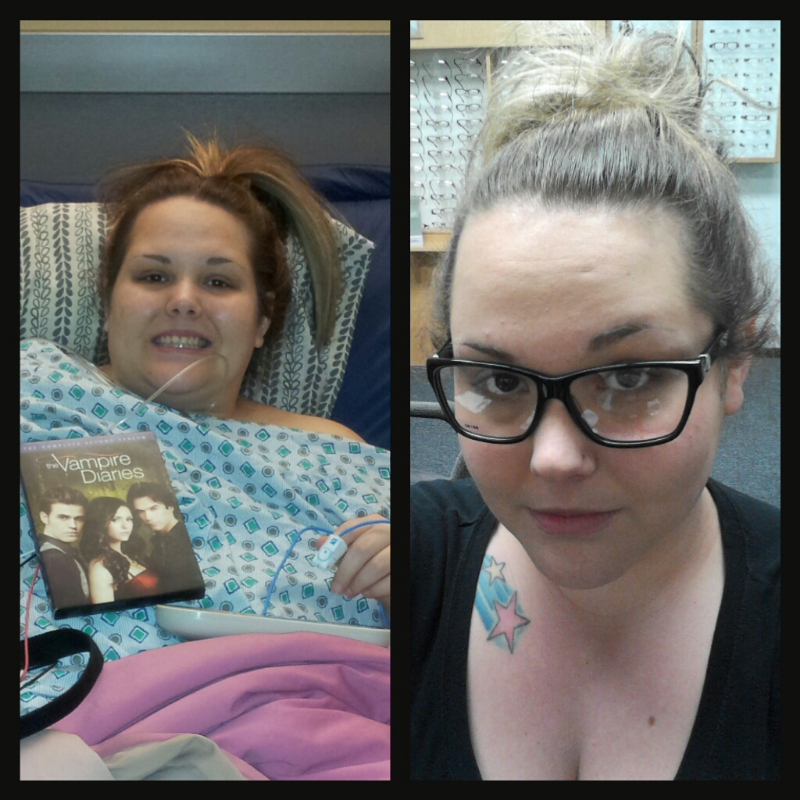
March 7 was day of surgery and down 80lbs!- Super scary, HELP
Sometimes the things you could eat you can't like a day after it's weird. Ya i heard the feeling sucks. I myself have never had out and i pray i never do. Just be careful, maybe not eat that soup anymore. Glad your better- Super scary, HELP
- March 2013 Post Op "A New Life 2013"
Surgery was March 6! I hit my 50lb weight loss mark today!!!- March 2013 Post Op "A New Life 2013"
I'm sorry March 6 i had my surgery- March 2013 Post Op "A New Life 2013"
I had my surgery March 7 and i still have severe pain in my tummy under right and left ribs, anyone else experiencing anything like that? Or close to it?- March 2013 Post Op "A New Life 2013"
Still running tests, nothing serious i don't think, i think I'm just really dehydrated but I've been on lots of fluids and my belly still hurts so we shall see- March 2013 Post Op "A New Life 2013"
Had my surgery on March 6 and i got admitted to the hospital today! Really really bad stomach pains and dehydration...- Pen Pal Goodie Boxes?
I would like to participate again!- March 2013 Post Op "A New Life 2013"
Ya I've lost 28 lbs since surgery which was march 6, but i went on scale and its been the same weight for four days than i went on this morning and noticed i gained 1.2 lbs but i went to the bathroom and mother nature visited, i can feel my stomach bloated- March 2013 Post Op "A New Life 2013"
Has anyone received their monthly visit and made them gain weight, cuz i got mine which i haven't had one since October and i gained 1.2 lbs- March 2013 Post Op "A New Life 2013"
- March 2013 Post Op "A New Life 2013"
Join BariatricPal free
- Ask your own questions
- Reply and follow topics
- Message other members
- No cost, no spam
Account
Navigation
Search
Configure browser push notifications
Chrome (Android)
- Tap the lock icon next to the address bar.
- Tap Permissions → Notifications.
- Adjust your preference.
Chrome (Desktop)
- Click the padlock icon in the address bar.
- Select Site settings.
- Find Notifications and adjust your preference.
Safari (iOS 16.4+)
- Ensure the site is installed via Add to Home Screen.
- Open Settings App → Notifications.
- Find your app name and adjust your preference.
Safari (macOS)
- Go to Safari → Preferences.
- Click the Websites tab.
- Select Notifications in the sidebar.
- Find this website and adjust your preference.
Edge (Android)
- Tap the lock icon next to the address bar.
- Tap Permissions.
- Find Notifications and adjust your preference.
Edge (Desktop)
- Click the padlock icon in the address bar.
- Click Permissions for this site.
- Find Notifications and adjust your preference.
Firefox (Android)
- Go to Settings → Site permissions.
- Tap Notifications.
- Find this site in the list and adjust your preference.
Firefox (Desktop)
- Open Firefox Settings.
- Search for Notifications.
- Find this site in the list and adjust your preference.