nnegrete329
Gastric Sleeve Patients
-
Joined
-
Last visited
-
-
-
-
-
-
-
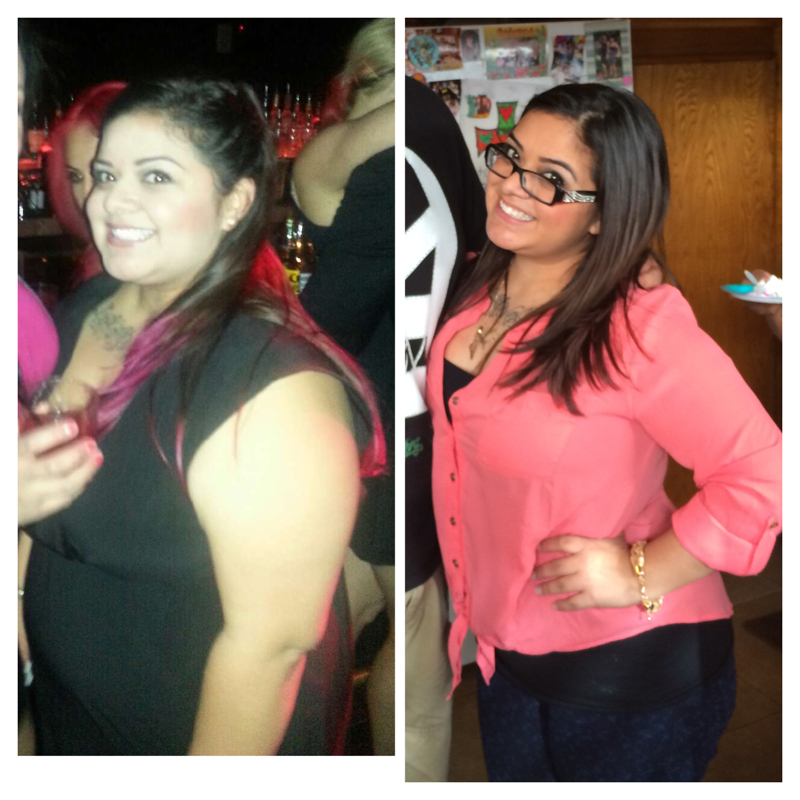
Ok I can finally post something It's more like before and during Nov 2013 to March 2014 down 45 lbs. surgery 2/6/14 down 30 lbs since. 40 lbs to goal.

-
-
-
-
I'm 11 days out and have felt the same way. I haven't tried "normal food" lol only because I'm super scared but I did tried hiking yesterday since I was feeling good. I couldn't do a full hike but it was ok. I was however feeling super tender today. Today was my first day back to work but I have an office job so it was not bad at all.
-
It's only going to get better! Don't even worry about it.
-
I've been telling myself just one more week and I can mash It up lol It was a bad day mostly. Thank u all for the support
-
-
Thanks! I really hope tomorrow is better. Today was really hard. On the upside I'm down 7 lbs since Thursday yay!! But dang it I'm still wanting avocado. Maybe once the puréed stage comes it won't be as bad
-
-
Alright guys I need help!!! I'm at the stage of WHAT THE F*** DID I JUST DO TO MYSELF!! I'm so irritated today and I just want to eat something. Not hungry but today I really just wanted some avocado... Like really really really wanted avocado. And I cried bc I couldn't have it and the I put myself in a panic because it seems I'll never eat again!!!
-
-
-
-
Good luck to everyone coming up this week!! Today I'm feeling a bit better. Happy to be home. I tired sleeping on my side and it sucked!! I got a bunch of acid coming up and wanted to throw up! Other than that it's all good. My incisions don't bother me at all. And all I really wanna be able to do right now is fart. But I guess my body wants to be a lady and burp it all out lol Hope everyone is doing well!
-
How r u feeling at 5 days
-
Alright I finally feel good enough to type lol Surgery went well. Small hernia repair. I do have a lot of discomfort. And had a terrible pain attack earlier today. I can't seem to stop burping. But I feel ok. Getting up with no help and have been walking a lot. I should go home tomorrow
-
Just checked in!!!! Keep me in your prayers!!!
-
Surgery is tomorrow! Today I'm on all clear liquids and it feels like the first day of the pre op diet! I'm so hungry!!!! I don't have to be at the hospital till 11:30 am so I'll know I'll be starving by then! Ok vent over
-
-
-
I'm sorry your in pain... But I kinda can't wait for that feeling lol
-
Yay Erin!!!I'm glad you're doing well. Mines on Thursday and I'm still prepping everything at home and work getting more nervous day by day. Thanks for sharing!
-
-
-
Hi there!! 2/6/14!!! HW:220 CW:207 Height: 4'11" BMI: 41 Age:24 GW: 130
-
Congrats!!!