-
-
-
-
-
-
-
-
-
-
-
-
-
-
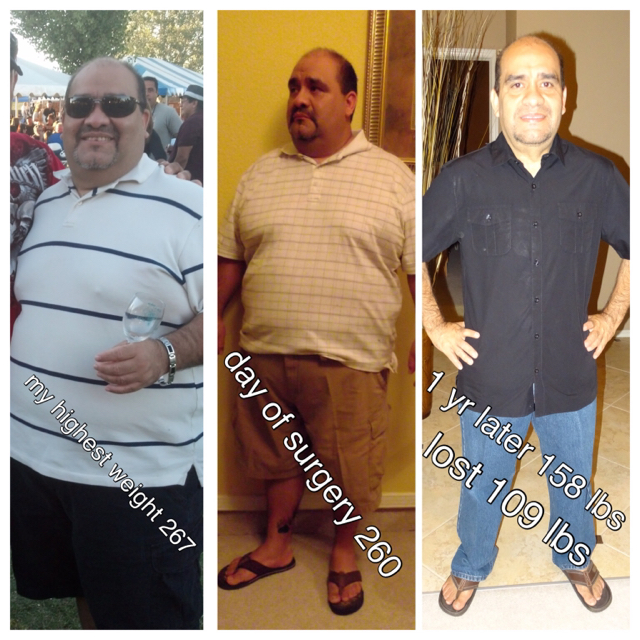
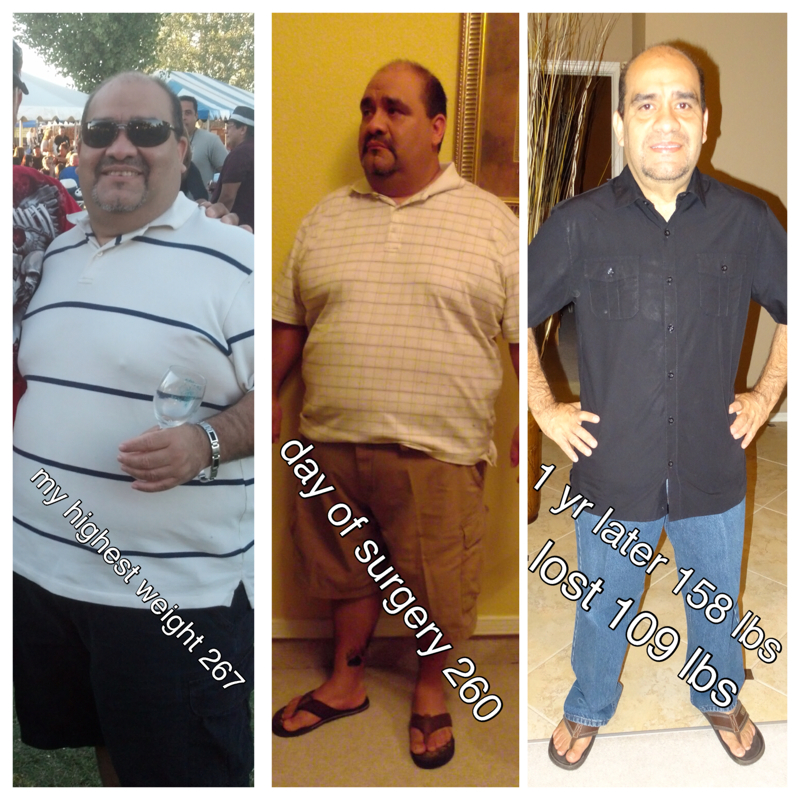
Before and After Pics
- Before and After Pics
- Surgery scheduled
Thank you- Where are the June 2013 sleeves now?
I. Here.- Surgery scheduled
- Surgery scheduled
Any questions you have let us know. I'm post going on 3yrs best decision ever lost 111 pounds,- Surgery scheduled
Congratulations on your schedule surgery- My Texas Sleevers
El paso- Before and After Pics
[emoji7] everyone is looking amazing- Dropped 3 pants size in 2 months
Congrat keep it up.- hi there!!! are there really gay people here?!?!?!?
Hello sleeve from texas how are you Ray- One year anniversary
Thank you- missing sex
I had sex 4 weeks later- 1 Year Post VSG!
June 24 marked my one year anniversary- One year anniversary
Hello I just wanted to follow up on my one year sleeve post op Feeling great during this year got married to my partner of 16 yrs - Before and After Pics

Join BariatricPal free
- Ask your own questions
- Reply and follow topics
- Message other members
- No cost, no spam
Account
Navigation
Search
Configure browser push notifications
Chrome (Android)
- Tap the lock icon next to the address bar.
- Tap Permissions → Notifications.
- Adjust your preference.
Chrome (Desktop)
- Click the padlock icon in the address bar.
- Select Site settings.
- Find Notifications and adjust your preference.
Safari (iOS 16.4+)
- Ensure the site is installed via Add to Home Screen.
- Open Settings App → Notifications.
- Find your app name and adjust your preference.
Safari (macOS)
- Go to Safari → Preferences.
- Click the Websites tab.
- Select Notifications in the sidebar.
- Find this website and adjust your preference.
Edge (Android)
- Tap the lock icon next to the address bar.
- Tap Permissions.
- Find Notifications and adjust your preference.
Edge (Desktop)
- Click the padlock icon in the address bar.
- Click Permissions for this site.
- Find Notifications and adjust your preference.
Firefox (Android)
- Go to Settings → Site permissions.
- Tap Notifications.
- Find this site in the list and adjust your preference.
Firefox (Desktop)
- Open Firefox Settings.
- Search for Notifications.
- Find this site in the list and adjust your preference.