-
-
-
-
-
-
-
-
-
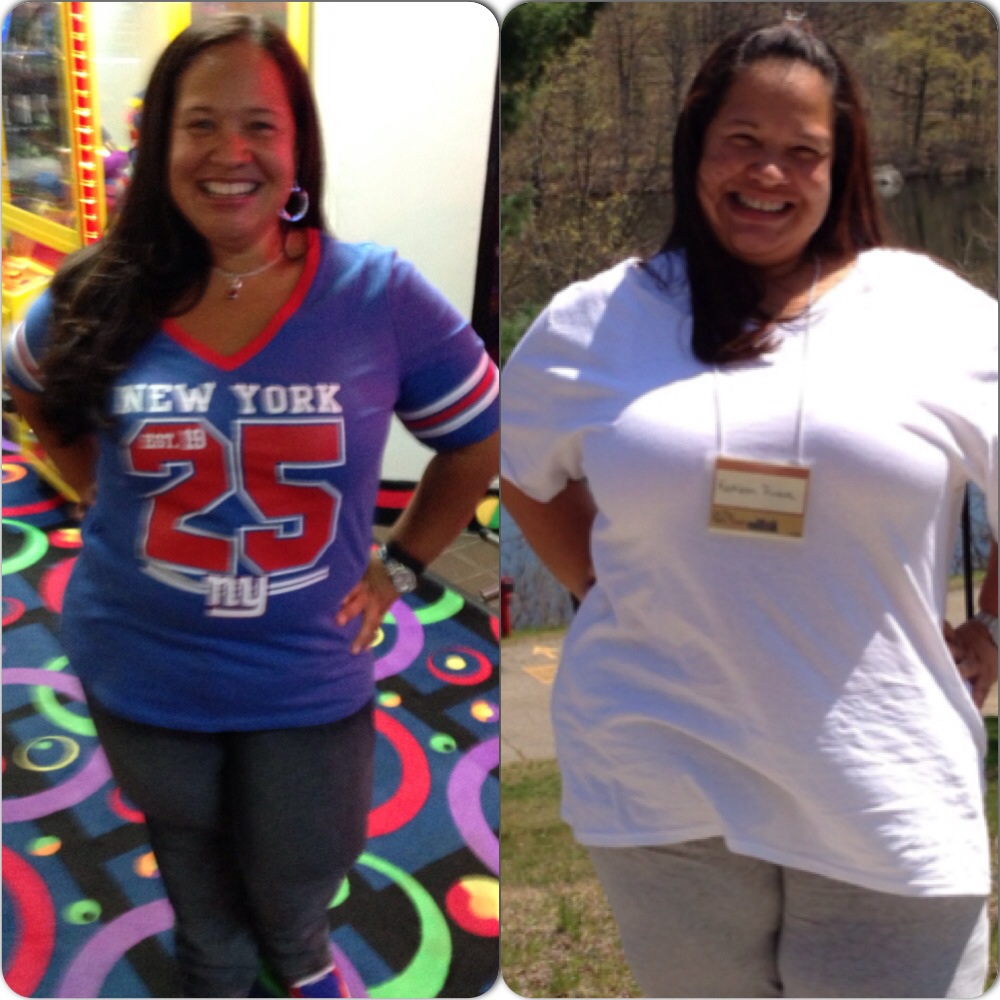
2months post op
Thanks everyone
-
-
-
-
-
2months post op
-
-
WHAT IS YOUR WEIGHT LOSS THEME SONG!
That's my theme song I loved it the minute I heard it
-
-
-
What do you think about straws
Both my nutritionist and surgeon said no straws for like 6months but I've been using straws since 1week out my surgery was 7-11-13 ... No problems ...
-
july 2013 sleevers
Don't worry I was the same way and I just hit my month post op and I got my energy back ... Just make sure ur keeping hydrated
-
-
MyFitnessPal.com Members
- What foods do you no longer like?
Eggs don't like eggs now !!- 1200 calories of liquid?!?!
Maybe try a different brand with more protein in it.... Like pure protein shakes or premier ... Chicken soup works good too ... With the pre op diet ..- Exit the walrus...
You look great !!!- One year 25 day anniversary
You look great thanks for sharing- 1200 calories of liquid?!?!
Are u doing protein shakes also ??? ....- Mourning
I cried when I got the phone call !!! this is life changing but perfectly normal good luck on your journey- Anyone noticing changes in food taste? (I'm post op 4 1/2 weeks)
I use to love eggs before surgery now !! I can't even smell them ...- Don't feel full? Day 11
- Grams of protein
Every bodies amount of protein is different that's why we have to work with our Nut.. Because it changes as u go thru your weight loss and the amount of exercise we do ...in the beginning I was @ 100gr of protein then as I loss weight it has come down ,, after surgery it changed again ... & when I start working out its going to change again - What foods do you no longer like?
Join BariatricPal free
- Ask your own questions
- Reply and follow topics
- Message other members
- No cost, no spam
Account
Navigation
Search
Configure browser push notifications
Chrome (Android)
- Tap the lock icon next to the address bar.
- Tap Permissions → Notifications.
- Adjust your preference.
Chrome (Desktop)
- Click the padlock icon in the address bar.
- Select Site settings.
- Find Notifications and adjust your preference.
Safari (iOS 16.4+)
- Ensure the site is installed via Add to Home Screen.
- Open Settings App → Notifications.
- Find your app name and adjust your preference.
Safari (macOS)
- Go to Safari → Preferences.
- Click the Websites tab.
- Select Notifications in the sidebar.
- Find this website and adjust your preference.
Edge (Android)
- Tap the lock icon next to the address bar.
- Tap Permissions.
- Find Notifications and adjust your preference.
Edge (Desktop)
- Click the padlock icon in the address bar.
- Click Permissions for this site.
- Find Notifications and adjust your preference.
Firefox (Android)
- Go to Settings → Site permissions.
- Tap Notifications.
- Find this site in the list and adjust your preference.
Firefox (Desktop)
- Open Firefox Settings.
- Search for Notifications.
- Find this site in the list and adjust your preference.