





deekelley07
Gastric Sleeve Patients
-
Joined
-
Last visited
Everything posted by deekelley07
-
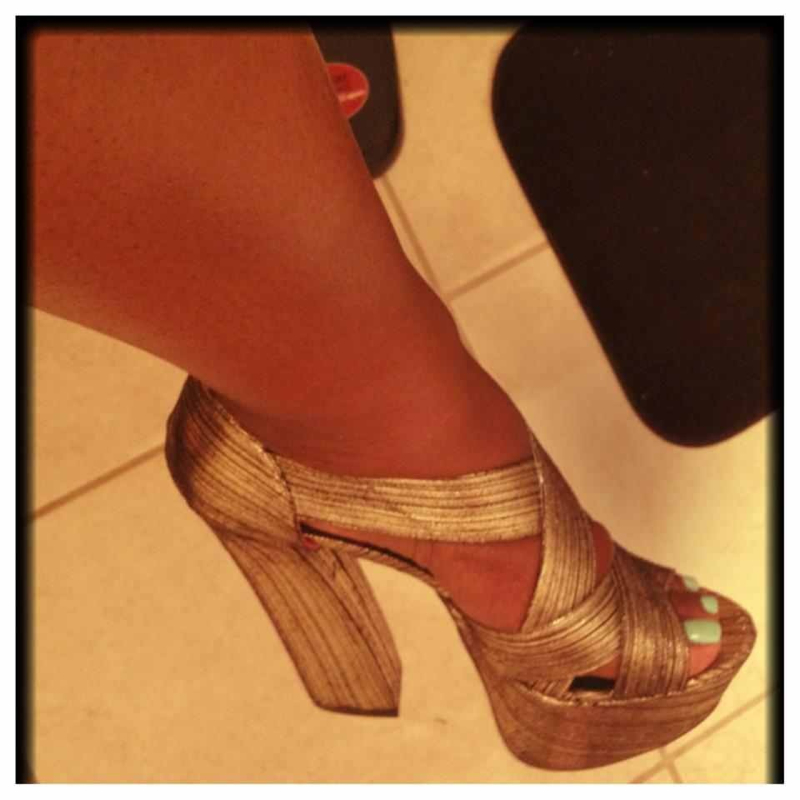
I will give them to you for free. Just looking to bless someone.
-
I have what color
-
Shoe size 9

-
Or maybe for a boost. Just thinking out loud. Lol
-
I'm not taking them I was just asking what y'all think. Yes for workout only at the gym.
-
Just one of the shoes tell me if you can see the pi c of the shoe.
-
Sure I'm not home I will do it this weekend for you
-
Hello I was just wondering as anyone use any fat burners while working out.
-
I have dresses and pants size 14. And shoes size 9
-
I was sleeved sept 28. I have the new weight watcher before I got sleeved. It's really good even the cook books have a lot of heathy choicesIs anyone following any plans out there like weight watchers or Akins. Just has a guide line.So true.This was a good Explanation.Gas x strips u heard it works wonders. Lol just saying.It's hard when you work at nights. Gabby have you pack yet.I'm so tired of soup and jello. I just want some eggs lol anyone out there having their sleeve on sept 28.Good luck guysMy surgery day is Friday too. How do you feelCan you give any tips on some of the stuff you had on your full liquid diet please and thank you.So happy for you I was wondering what dis you eat before your Surgery. When you were on your full Liquid diet?
Account
Navigation
Search
Configure browser push notifications
Chrome (Android)
- Tap the lock icon next to the address bar.
- Tap Permissions → Notifications.
- Adjust your preference.
Chrome (Desktop)
- Click the padlock icon in the address bar.
- Select Site settings.
- Find Notifications and adjust your preference.
Safari (iOS 16.4+)
- Ensure the site is installed via Add to Home Screen.
- Open Settings App → Notifications.
- Find your app name and adjust your preference.
Safari (macOS)
- Go to Safari → Preferences.
- Click the Websites tab.
- Select Notifications in the sidebar.
- Find this website and adjust your preference.
Edge (Android)
- Tap the lock icon next to the address bar.
- Tap Permissions.
- Find Notifications and adjust your preference.
Edge (Desktop)
- Click the padlock icon in the address bar.
- Click Permissions for this site.
- Find Notifications and adjust your preference.
Firefox (Android)
- Go to Settings → Site permissions.
- Tap Notifications.
- Find this site in the list and adjust your preference.
Firefox (Desktop)
- Open Firefox Settings.
- Search for Notifications.
- Find this site in the list and adjust your preference.