mlkthomas
Pre Op
-
Joined
-
Last visited
-
-
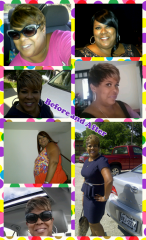
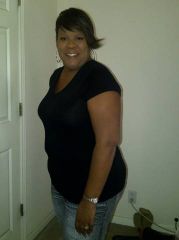
2014 Is My Year!!, a weight loss surgery photo album by mlkthomas on BariatricPal. 1 photo in Before and After Gastric Sleeve Photos.
-
Happy New Year Post Op September Sleevers!! I'm praying we're all still staying focused and positive about the choices we make!
-
Morning and Happy Holiday's!! I'm trying to stay focus but it's really hard. I need to get back on my protein shakes to get off this stall. Working out daily but not losing. Still determined that we can continue what we started!! Keep the Faith!!
-
Morning!! I'm also maintaining but I'm stuck....need to loose more and it's making me angry that the weight lost has stopped. Other than that I'm doing!!
-
-
-
-
-
-
-
-
-
-
Feeling so blessed!! My journey continues.
-
Thanks! we all look fabulous inside and out!!
-
-
Happy Anniversary September Sleevers!! Keep your head held high because we did it!! Continue our journey and we will be fine as wine!!
-
-
-
-
-
-
-
-
-
-
Almost at my 1 year anniversary and almost at my goal weight. 60 more days!!
-
Looking fabulous post op Setember sleevers! It's been awhile since I've been on here but I keep up with the post on my phone. The updates keep me encouraged and strong because I'm a slow loser with many stalls. But I can tell more and more in the inches. Remember this...Be grateful for the stuff you go through --- it's all working together for YOUR good! My daily prayer!!
-
Count me in!!
-
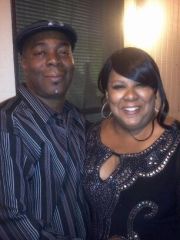
mlkthomas, a weight loss surgery photo album by mlkthomas on BariatricPal. 4 photos in Before and After Gastric Sleeve Photos.
-
Oh Lord, it's girl scout cookie time! They are out everywhere. Give me the strength to just say NO!
-
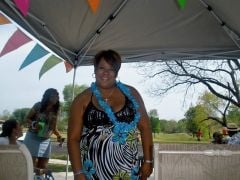
3 Months Post Surgery Jan 2013, a weight loss surgery photo album by mlkthomas on BariatricPal. 3 photos in Member Photo Gallery.
-
Happy Holday's to All!! It's amazing how well we all are doing! Feels good to see that our hard work is paying off. I've been doing good just trying to get my protein in and exercise when I can. Feels so good to be off majority of my medicines and return to the workplace. My journey started off with congestive heart failure and cardiac arrythmia which had me on at least 9 different medicines which caused me to be put on long disability. So, we decided that the sleeve will help me and it has changed my life! Only on 4 meds, all the vitamins and released off disability Jan 2013!! THANK GOD for the sleeve and my September Sleevers!! Reading your blogs and status has lifted my spirits and gave me so much encouragement!!
-
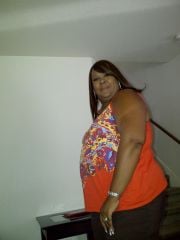
Post Surgery November 2012, a weight loss surgery photo album by mlkthomas on BariatricPal. 4 photos in Member Photo Gallery.