





Liamlover2011
Gastric Sleeve Patients
-
Joined
-
Last visited
-
-
-
-
-
-
-
-
-
-
-
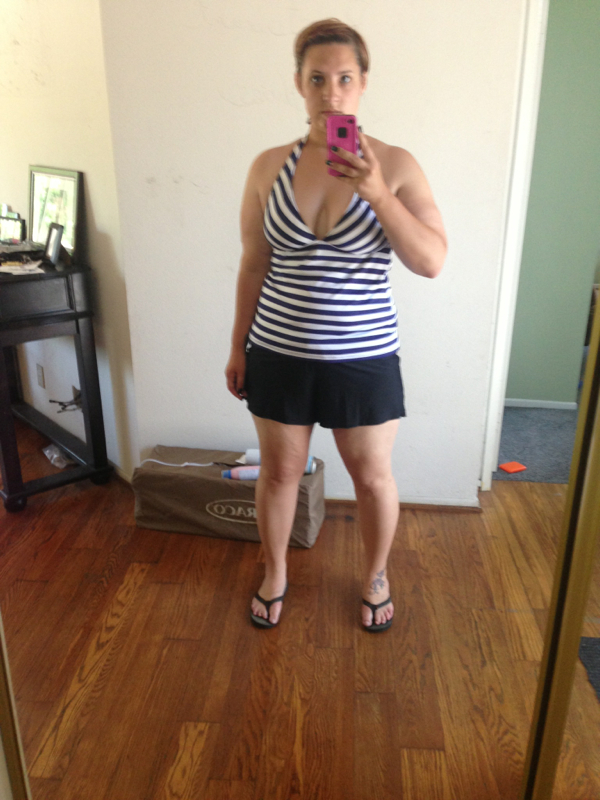
Surgery date 1/3/13 down 114 and 32 till goal. Started pre op diet at 317, surgery day 296 and today I am 182!! Can't believe it!
-
Wow you look great! Congrats!
-
I was sleeved in jan oc kaiser process was great! This was the best decision ever!OC kaiser!Thanks and since all this I pretty much get all my clothes at H and M!So true!!!! And funny!Thank you!!!Thanks for everyone's wonderful comments! Feels great changing my life! Um for tips I would say the biggest thing is following what your surgeon says to the T. I made sure (and still do) that I get all my Protein and Water in daily. I don't eat hardly any carbs and I make sure to exercise few days a week at least. I think sometimes we worry about over eating due to old habit and then don't get enough calories.... IMO I think it slows WL down. Over all have fun doing it. This is our new "normal" so go with it and begin enjoying life!Close to 7 months out 109 down since surgery!I got them a lot right after surgery. Not as much now but still more frequently then before surgery.Thank you so much all of you!





Account
Navigation
Search
Configure browser push notifications
Chrome (Android)
- Tap the lock icon next to the address bar.
- Tap Permissions → Notifications.
- Adjust your preference.
Chrome (Desktop)
- Click the padlock icon in the address bar.
- Select Site settings.
- Find Notifications and adjust your preference.
Safari (iOS 16.4+)
- Ensure the site is installed via Add to Home Screen.
- Open Settings App → Notifications.
- Find your app name and adjust your preference.
Safari (macOS)
- Go to Safari → Preferences.
- Click the Websites tab.
- Select Notifications in the sidebar.
- Find this website and adjust your preference.
Edge (Android)
- Tap the lock icon next to the address bar.
- Tap Permissions.
- Find Notifications and adjust your preference.
Edge (Desktop)
- Click the padlock icon in the address bar.
- Click Permissions for this site.
- Find Notifications and adjust your preference.
Firefox (Android)
- Go to Settings → Site permissions.
- Tap Notifications.
- Find this site in the list and adjust your preference.
Firefox (Desktop)
- Open Firefox Settings.
- Search for Notifications.
- Find this site in the list and adjust your preference.