-
-
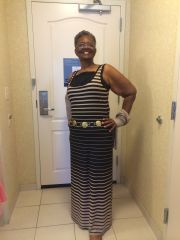
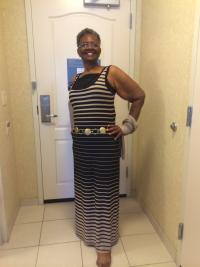
Evelyn before and continueing
Evelyn before and continueing, a weight loss surgery photo album by E.Cowin on BariatricPal. 4 photos in Before and After Lap Band Photos.
-
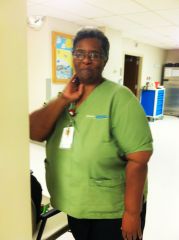
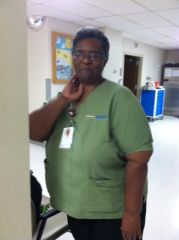
E.Cowin
E.Cowin, a weight loss surgery photo album by E.Cowin on BariatricPal. 2 photos in Before and After Lap Band Photos.
-
Grazing for months and can't stop :(
Jewel go back to ur Dr. ASAP Get another fill focus and get back on track we banders need each other
-
-
Where's everyone from?
Pflugerville, Texas Dr. Ganta my entered into my new life Doctor
-
-
Protein Bars
I like the quest from GNC so good
-
First fill
Thank you so much I'll u all know how it went
-
First fill
- First fill
- Afraid of failure!
Well I am 64 and I was banded Aug. 27 2013 and I feel so much better .I started out my process May 2 at 296 day of surgery I was 260 now I don't know because I am waiting for my post surgery check on the 11th.. Sucess is what we want In all my years I don't think I have ever heard anyone say I don't want to be successful CLG you can do this all of us can and we will. LOVE YA my senior banders- August 27th banders!
Hello my friend how are you doing- August 27th banders!
Hi Stivers, I going to be banded the 27th too I would love to be your buddy- Where's everyone from?
Pflugerville Texas- Just want to talk
I work only weekends FRI SAt and Sun- Just want to talk
oh wow I work at st.davids south in radiology- Just want to talk
AIBL in Austin on Jollyroad my surgery is going to be at St. David North Hosp. How about u - First fill
Join BariatricPal free
- Ask your own questions
- Reply and follow topics
- Message other members
- No cost, no spam
Account
Navigation
Search
Configure browser push notifications
Chrome (Android)
- Tap the lock icon next to the address bar.
- Tap Permissions → Notifications.
- Adjust your preference.
Chrome (Desktop)
- Click the padlock icon in the address bar.
- Select Site settings.
- Find Notifications and adjust your preference.
Safari (iOS 16.4+)
- Ensure the site is installed via Add to Home Screen.
- Open Settings App → Notifications.
- Find your app name and adjust your preference.
Safari (macOS)
- Go to Safari → Preferences.
- Click the Websites tab.
- Select Notifications in the sidebar.
- Find this website and adjust your preference.
Edge (Android)
- Tap the lock icon next to the address bar.
- Tap Permissions.
- Find Notifications and adjust your preference.
Edge (Desktop)
- Click the padlock icon in the address bar.
- Click Permissions for this site.
- Find Notifications and adjust your preference.
Firefox (Android)
- Go to Settings → Site permissions.
- Tap Notifications.
- Find this site in the list and adjust your preference.
Firefox (Desktop)
- Open Firefox Settings.
- Search for Notifications.
- Find this site in the list and adjust your preference.