pearlyone
LAP-BAND Patients
-
Joined
-
Last visited
-
Asylum is agility and sports training. You do ladder drills and sports type movements. Insanity is a bit simpler movements in my opinion but at a very high intensity and repetition
-
-
-
-
-
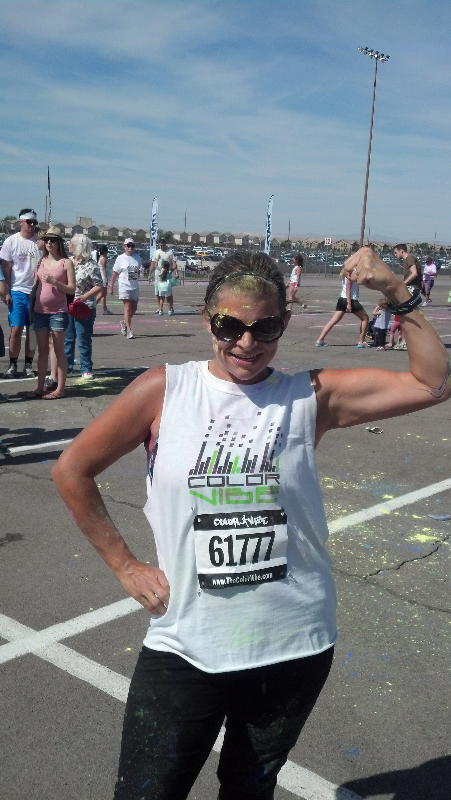
Here I was! Proud of myself:)

-
Exciting!! I just finished couch to 5k program and did the color vibe 5k last week. Great feeling of accomplishment!!! Yay for you!!
-
-
Me too! So hard when we are working so hard! I workout 2x a day and count everything I eat...grrr! A trainer told me I wasn't eating enough and our body is holding into food because we're stalling our metabolism. Not sure if its true but I'm trying to eat more and see what happens. (Scary!!)
-
I just finished insanity asylum...were starting insanity next week! My husband sells the DVD series if your interested! Amazing workout. I feel I get a better workout than I did at the gym because its full body and changes daily! WWW.beachbodycoach.com/fullyfitbymike
-
Yes it as planned!
-
-
-
I have had my band since June. I've lost 85 pounds and love it! I never had restriction (chicken was hard to eat) but since I didnt get hungry for hours my Dr didn't fill me more. I am now pregnant and gave into a craving. I'm wondering why I never feel pressure/pain/full when I step off my diet/meal plans. I could literally eat anything if I allowed myself. Is this normal? Could my band have deflated or something?
-
-
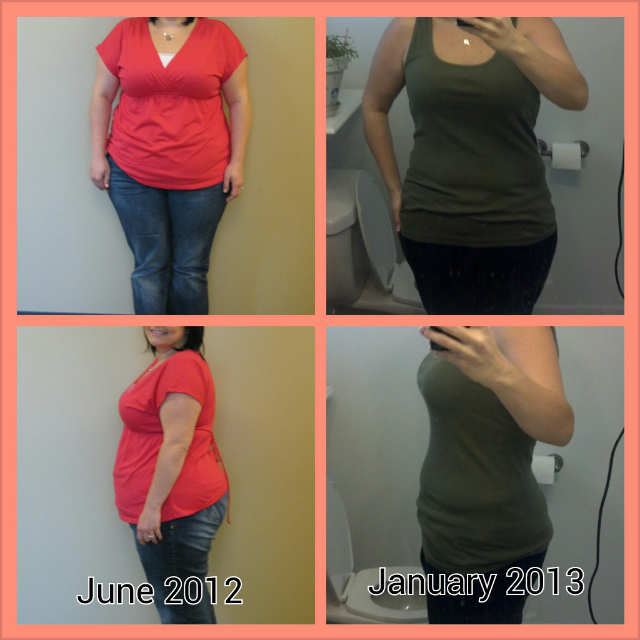
Here is my 7 month progress. My Dr sent me my before today. I'm 6 week pregnant and 7 months post op. Down 84lb since preop diet. How is everyone else doing?

-
That's great!! Any tips? Did u workout a lot? Keep calories around 1000?
-
So far so good! I found out we were pregnant a week ago.. since then I am down 3 lbs. So great! Its so weird that I am losing but my tummy is getting rounder! #2 is def gonna show before #1 did! I have contiuned my workouts-increased cardio and decreased weights. I have maintained my diet but gave in to some cracker temptations LOL I went out to dinner but avoided what I "wanted" and got what I knew was appropriate calories for a meal. Phew! I hope I can continue to avoid a huge gain... i understand i will most likely gain because I am pregnant BUT last pregnancy I gained 70 lbs so it feels great that I am making better choices already!
-
Stick with it! I have no restriction so it has been a lot of mental focus and choices my body will allow me to eat anything. Ensure u get your water and protein! Adjust calories as needed. Sometimes I would stall so I add 100 calorie or so. Crazy sometimes u need more than u think. Also stay active! I walked 5 miles about 3-4 times a week from the start.
-
I am hoping to make it without removing liquid one has not been tight so hoping even with some swelling I'll still be good! Good luck with your pregnancies ladies. We are 5 weeks
-
-
Oh! That is no good. Hopefully they figure out why
-
We are 4 weeks pregnant. Yay! I have 30 lbs til goal but have lost 80 since I was banded June 12. Hopefully I can avoid much gain.. stay strong! I have no restriction so hope I won't have to unfill.
-
I know girls that don't have the band that had that happen when pregnant. Happens to some people....sorry your not having an enjoyable pregnancy thus far.