peachee213
LAP-BAND Patients
-
Joined
-
Last visited
-
peachee213 changed their profile photo
-
-
-
Hi Crystal. I'd like to join...
-
I hope you feel betternand congrats your loss.
-
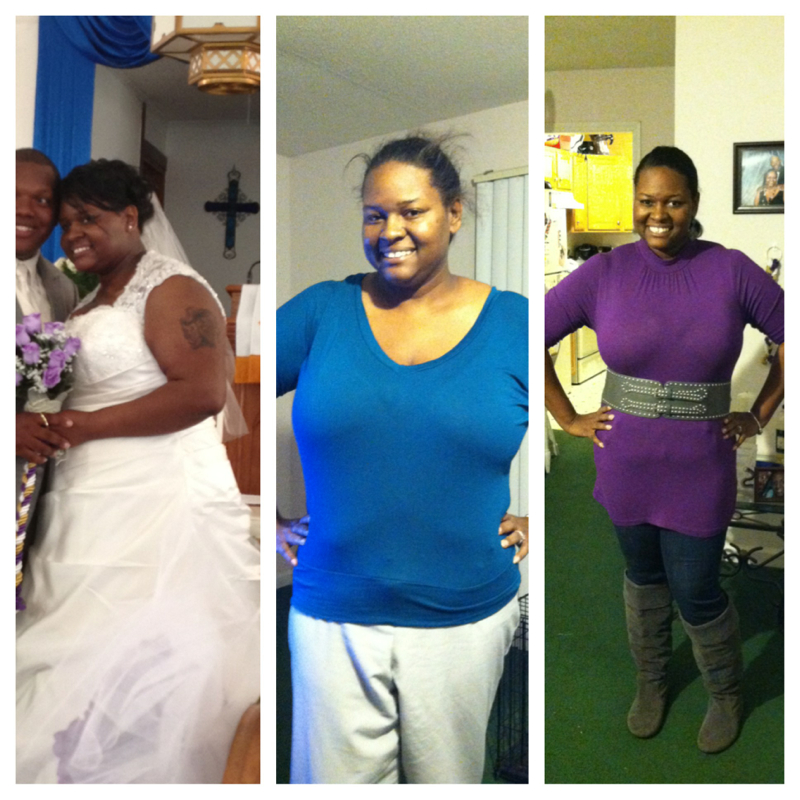
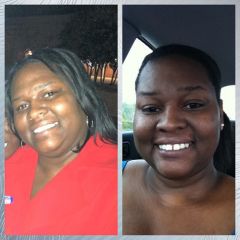
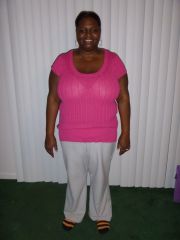
Hi November Family. I just wanted to check in on you all. I've been quiet in the boards and MFP for a while. Life is busy. Im trying to get back in the habit if posting more often. You all have such great progress. I'm excited for you. I have hit a stall. Stuck at 229 for about 3 weeks now. I've upped my calories since I've been working out more. I hope the losing starts back up soon. Here's my progress so far. . Hw 284 Sw 274 cw 229 [ATTACH]2821[/ATTACH]

-
-
-
-
-
-
Thanks, Worm. You gals are certainly making me blush. I guess it was just that week. I agree... at least we're still losing. :-)
-
-
-
-
-
Thanks, Crystal! You're making me blush! Lol :-)
-
Thanks, Jessi! :-)
-
Hi everyone! Hope all is well. I finally hit a stall at 40lbs down since surgery. SW 274 CW 234 dos 11-14-12 I see inches going... Hopefully It's a short stall. Sent from my iPhone using RNYTalk

-
-
peachee213, a weight loss surgery photo album by peachee213 on BariatricPal. 2 photos in Member Photo Gallery.
-
Great job! Way to go! Sent from my iPhone using RNYTalk
-
Hi everyone. I'm 27 and ha surgery on 11-14-12. Sent from my iPhone using RNYTalk
-
*clothes Sent from my iPhone using RNYTalk
-
Hi Everyone! It's been awhile. I'm sorry. I've been super busy and not able to check in as much. I'm glad to see you all are losing those pounds. I'm down to 248 from 274 on surgery day. I've seem to hit the stall everyone talks about. But I've started doing couch 2 5k, Zumba, and some weight training. I'm losing inches and close are getting smaller. Still struggling with this protein and water thing. if I meet one, can't meet the other bc it feels like my pouch can't hold anymore or anything. Sent from my iPhone using RNYTalk
-
-
I showed these to my dietitian and she loved them. She said I would still need a Calcium separately because this Vitamin has all the Iron you'll need and you can't take iron and calcium at the same time anyway. She did however recommend breaking the vitamin in half and taking it a few hours apart to ensure maximum absorption. I'm excited about these because I was using Celebrate Vitamins and that was 5 chewables a day. 2 multi and 3 calcium. Now I'm moving to 1 a day and a calcium chew. Thanks so much Baker_gurl for sharing. :D
-
Hey! I'm doing good and feeling better thanks. I have a slight pain on my upper left side. Started a few moments ago. Not too bad just uncomfortable. Calling my Doc about that in morning. How are you all? Sent from my iPhone using RNYTalk
-
-
-
Thanks, NikiG! Sent from my iPhone using RNYTalk