




afdonn
LAP-BAND Patients
-
Joined
-
Last visited
-
I'm 15 mo out, trying to lose the last 15 pounds, I've lost 100 pounds so far. I try to stick with 600-800 calories, 40 grams or less carbs, and close to 100 grams of protein. I'm getting ready for plastic surgery in about 6 weeks so trying to keep the protein high. I do add a bit more carbs and or calories on days I workout hard ( more than an hour). I log all my food on myfitnesspal which has been the best tool ever to keep track of it all! To keep protein high tends to naturally keep my carbs lower because I don't have much room in my sleeve for a whole lot. So I eat protein and what little room is left I have some lower carb veggies and a little bit of fruit. No refined carbs. Green veggies and lower carb fruits in small quantities. This is what works for me and others I have talked with. Let me know if you have any other questions.
-
I'm always cold too. Sometimes I just can't seem to warm up and I take a hot bath, that works. I also keep a heated throw blanket next to my couch. I think it must have to do with our bodies getting used to not having all the fat layer to keep us warm.
-
You look hot! Obviously working out. Doesn't look like loose skin to me. Have fun in Hawaii! Anne
-
Glad to know it's not just me!
-
-
I have 25 lbs left to lose, although I will see when I get there. I also am trying to really hit it hard with the working out, I would love a buddy to be accountable to, let me know, Anne
-
I had surgery Jan 12th, I am down 62 pounds. I have about 50 more to go. I have been working out 3x a week with a personal trainer an running half hour 3-4 days a week. The weight loss has slowed a lot in the last 6 wks or so, but I'm still working hard and slowly I'm still losing. I'm glad to see my progress is similar to everyone else, I was starting to get discouraged.
-
I just finished c25k yesterday! If you would have told me 9 weeks ago I would be running 30 minutes I would never have believed it. I am going to keep running the same time for a few weeks then I am joining a group training for a triathlon. I can't wait to lose more weight so the running gets easier.
-
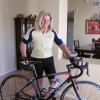
I just started back bike riding a couple weeks ago, now that I have lost 50 pounds I was finally ready to get back on my bike. I used to ride a lot but had gained too much weight to ride. I have a road bike, but I'm going to buy a mountain bike too, my gift to me for losing the first 50 pounds! It felt really good to be on my bike again!
-
I haven't tried those, but the protein drinks at Costco, ready to drink are good. They are not the weight loss ones, they come in a box and are in little cartons, I think it's called premier protein, it's chocolate.I had the same problems with the band. It was either too tight and I could barely eat, or too loose to be effective. I could eat junk and sweets no problem, but lean protein or veggies, forget it. I felt like a big failure, and I was sure I was the only one. I was even afraid to go to my doctor. Long story short, I revised to the sleeve in January, and it is the best decision I could have made. I have lost almost as much in two months with my sleeve as I lost in 4 years suffering with my band. My band now sits in a jar in my closet, where it belongs, not in my body, it is a reminder of how far I have come and struggled, but finally I'm on my way to success. Good luck to you, you will love the sleeve, it's everything the band was supposed to be and more.I chew gum a lot. I have never swallowed gum in my life so I'm not worried, it really helps with the bad breath and the need to chew. I started at about 1week out. Sugarless of course.I'm 7 1/2 weeks out, I have two shakes and one small meal. Occasionally a small snack. I have lost 35 lbs. I have been walking about 45 min. A day. I love my sleeve!My silly nsv: So when I don't have pockets I often stash my phone in my bra. Today I did that and when I bent over my phone kept falling out! I guess there's more room in there now!