wanderlust_76
Gastric Sleeve Patients
-
Joined
-
Last visited
-
-
-
Janet....Let me know how it goes. I understand about the weather. That frustrates me too. I live in Southeast Texas. Saturday I was wearing shorts; today I'm wearing a down feather coat to stay warm! I've read they have treadmill C25K aps, but I've never looked at them. I just got a fitbit. I'm going to see how that goes. I'll let you know.
-
-
-
-
-
-
-
-
Sorry, I can't get this program to work right for me... Lol.
-
Thanks everyone. Even two days later, I'm pumped...lol. JanetPRN you can do it! If I can do it, anyone can! There is an ap on my phone called couch to 5k. You turn it on and it trains you to run a 5k. You walk and then it says, "Start running now" and you run until it tells you to stop. The first week you run at 90 second intervals. By week 5 or 6 you are doing 20 min. It works! I like the Run Double ap because it has a bunch of options and it dumps your Info into my fitness pal for you. It does cost though. There are some free C25K aps too. [ATTACH]42328[/ATTACH]

-
-
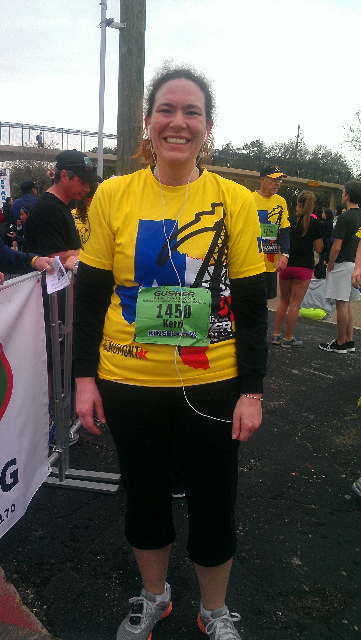
Yesterday was my 2 year surgery anniversary. Today I RAN my first 5k! I'm so freaking excited. I've lost AND MAINTAINED 100lb weight loss. I would like to lose another 20lbs, but I'm so pumped right now, I don't even care....lol!
-
-
I ate so much I accidently told someone Happy Thanksgiving. . .lol!!! I think the worse part of having this surgery is holidays. I am ok just eating a little, but I feel like I insult people when I don't pile food on my plate. They will say, "That is all you are going to eat" with this hurt look in their eyes. I have learned to say "Yes, this is all I am going to eat", but it is still hard.
-
I hit several of those and they are frustrating. I have been on one for over 2 months. I KNOW what you are going through. When I was at my rapid weight loss (first year), I hit several. Here are a few things that I would do to get rev up my metabolism again. 1. I would change my workout routine. Most of the time that works. Add something in, or add weight to your strength training. You can even do it in a different order. All of these will shock the body and kick it into gear again. 2. Adding food. Someone above said something about adding calories. That is a GREAT way to get the metabolism going again. Eat the extra for a week or so and then back off again. 3. Make sure you are eating often. Try not to go long periods of time without eating. Digesting burns calories, so we want our body to always feel like it has fuel and to be digesting. 4. Last, if you are like me, I work out A LOT! I found that if I would give my body a break every once in a while, I would lose a few pounds and get off that stupid plateau. I hope this helps. The most important thing is to remember that we are human and our bodies are going to do what they are going to do. I doubt you are gaining a pound. You can retain a pound or more of Water. Don't give up! Good luck! K
-
Typically I eat some kind of Protein for Breakfast. I teach so usually it is whatever they are serving or an uncrustable pb&j on wheat. At 1030ish, I will eat a banana. At 130 I will eat a lean cuisine. I'm a horrible snacker, I usually eat chocolate or cheese crackers when I get home. For supper I cook and try to do healthy, but usually I don't eat much if it. I am eating A LOT more which freaks me out a bit, so I am very conscious of my snacking. I was on a plateau for about 2 months and then it just started dropping off again. Even that 2 months though, my body was changing.
-
Well...I had my one year anniversary last week. I have lost 100.2 lbs and 12 pant sizes. If you are at the beginning of your journey, it is worth every ounce of doubt, fear, and pain. Take a deep breath and jump. It is worth it!
-
So, I am one of those crazy weird people that exercises at 5 am. Today, as I was walking into the gym I noticed how many people were circling the parking lot looking for a close parking space... Hahahaha!
-
It has been a while since my last post. I've been thinking about yall though! I am coming up on my one year anniversary and have been very reflective lately. First the good news. I am currently down 97 lbs. I went shopping Saturday and found myself in a size 12. My goal size! Yeah! I have gone from a 24 to a 12 in less than a year. How amazing is that? What's more amazing is how I feel. My two sons (50 lbs and 30 lbs) came home from the lake after spending a weekend with their grandparents. When they got home, I scooped them both up and started carrying them to the house. I made it to the garage (Dont be impressed. I teach in Texas. I dont have a big house. It was a pretty short trip). I was dying. When I put them down I thought to myself "****, I used to carry more than that every time I walked.". There is no description suitable enough to tell you how that AHA moment feels. I hope each of you have one at some point. Now the bad news. I am able to eat WAY more than I used to. It freaks me out. I know a lot of drs say you can stretch your stomach back out. I read an article the other day that said several drs did some research on sleevers that are 5 yrs out. They said none of their pouches had stretched. In all the patients studied, the pouches were leathery and couldn't stretch, the problem is how they eat. They learn how slowly to eat and just eat more. After reading that article, I think they are right. I paid more attention to how I ate and I find myself resting and going back. That was my bad AHA moment. Maybe though, now that I know, I can fight it. Anyway, my 1 year is on March 6th. Here's hoping I can say I've lost 100 pounds.
-
Is it bad that I want to "lose" my drivers licence so I can take a picture 90 lbs lighter?
-
I think if we are honest with ourselves, this is probably everyone's biggest fear. For most of us, this is the end of the road. Everything else has been tried and we failed. I think for me, the support system that is in place is what helps me. I have my family support (my mom was sleeved too), my medical support, and communities like this. I don't tell many people I was sleeved. It isn't anyone's business, but I need to talk about what I'm feeling, my success, my fears. All the other diets, I truly felt alone. This time I have a team of cheerleaders. We can do this together! You're not alone and I believe it is what is going to make the difference.
-
I think you are having normal, human emotions. I felt the same way. I think about it now, and I really feel like I was scared it would fail. I mean EVERY thing else had. What if I cut out half my stomach and i'm still fat? I got it done anyways. I hated myself for one week. Then, life started getting back to normal. I started moving better. I felt the weight coming off. Almost 8 months later, I have lost 87 pounds. I love to exercise (gasp)! I LOVE not having to shop in Women's World! I LOVE playing tag with my kids. I LOVE people telling me how great I look. It is not always easy and there is definitely a learning curve, but you can do it! Good luck!
-
I was reading a blog of a lady who has lost 300 lbs. She said when she finds herself going off track, she will do a 3 day liquid diet. She said it jump starts her weightloss and gets her head on straight. Maybe you should try that.
-
EXACTLY! I have a big bone structure and I'm athletic. I'm ok with not being 135 lbs. I just wish I wasn't embarrassed to tell people my weight. I know I look great , but being 184 lb girl is still embarrassing.