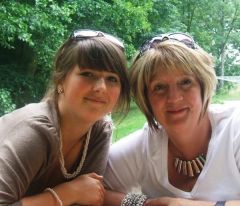
JudyM
LAP-BAND Patients
-
Joined
-
Last visited
-
-
Fantastic - you look really good, and so happy!
-
-
My apologies as I seem to have understood it incorrectly. It was explained to me that the scales may not always show a loss, but your body is still changing, especially for example, when you exercise more, and exchange fat for muscle. And I certainly found it useful when I had the occasional unexplained 'stall' over a few weeks with very little weight lost. The NSVs (ie nothing to do with the scales!) are very heartening and kept my motivation high when it may well have dropped away.
-
It's a Non Scale Victory, Luanne. They are where you notice changes that are not weight related. I find them useful for those times when your weight is in a bit of a 'stall', and they are a reminder that you are still changing for the better, even if your scales don't tell you that!
-
I think the seatbelt on planes is the biggest kick for me. And fixed seating in restaurants - I fit in easily now. I love climbing the stairs (and we live in a 3 storey house) at a run, instead of a stagger and a collapse half way! I can kneel on the floor without danger of cracking my kneecaps, and I can get up again! I've also stopped snoring
-
Hello Again! Well done everyone on your weight losses - how are you all doing? It's fab that spring is here, and I certainly have a spring in my step compared with last year! Last time I posted I was in size 18 jeans... well, in Feb I bought a pair of lovely navy tailored East trousers, size 16. Tried them on in the shop, fit beautifully, gorgeous fabric. Went to put them on for the first time yesterday... aaarrgghh! TOO BIG!!! This has happened with a few things that I have bought. I am now in size 14 for most things. Bra size went from 42DD to 34G! Husband says it sounds like a Jordan bra!!. I had my check up from surgeon yesterday. He is pleased with weight loss, am nearly there now. Just need to up the exercise a bit. I had some hair loss, but that is thickening up now - I can recommend a Kerastase product my hairdresser gave me - has been amazing. Only other downside was my Vitamin D levels plummeted, but a quarterly concentrated dose puts it right. I also get cramp in my shin... ow ow ow! Lack of magnesium apparently - supplements seem to have sorted it out! Don't worry about stalled weight loss; it has happened to me from time to time, but soon gets going again. You are still changing shape, and need to keep noting the NSVs (non scale victories!) I want to do the Moonlight Bra walk this year - anyone know anything about it? Or is anyone doing th Run for Life in Cambridge? If you do it as a power walk, I'll join you!! x
-
Not sure where to post this... please tell me if it would be better elsewhere! Since my surgery (which was excellent), I have met another surgeon here in France who would be willing to operate on anglophones waiting for the operation. He is an excellent surgeon, and a very pleasant, personable man. It is a fabulous, modern clinic, and he has worked extensively in his field both here in France and in London. He no longer does the band, and he specialises in the Sleeve procedure. For those who don't know, France is rated as one of the top countries in the world for health care. The costs of the operation are very reasonable, there is practically no waiting list. There are excellent transport links too, by train, ferry or by air (It's only 50 mins by air from London City Airport). I have tried to contact a company specialising in helping people in UK get their surgery abroad, to see if they would like to extend their service to France, but despite phone calls and e-mails, I have not had one reply! So is there any other company who would like to work with this surgeon, or any individuals who would like more details? Please let me know! Thanks in advance...
-
I keep asking my husband to point out other women who are the same size as me, as I can't get my head round how big, or rather, how much smaller, I am now. I need to exercise a bit more, and will rectify that shortly. My mum has now started telling me not to lose too much, or I will look haggard, and not nice, blah blah. I keep reassuring her I'll be careful. I've still a long way to fo to reach my sensible goal! Some of the comments on here are a bit thought provoking though - made me think of incipient anorexia... (Hi Coop - there's lush, my lovely!)
-
Hi there! I haven't been on the forum for quite a while as I've been so busy with work commitments! Anyway, I had my sleeve op in France (where I live) in mid-June, and have lost 30 kilos so far. I was a size 22-24 and am now in size 18 jeans (with a belt as the waist is too big) and some tops are now size 16. I've got a pair of leather boots, which I haven't had for years as my calves were too big. My hair is thinning quite a bit, but it isn't noticeable to anyone but me and my hairdresser I sometimes forget to eat... but not too often. Well done to Bella on a magnificent achievement, and also to Angela at the start of your journey
-
I paid as I went along (pre appointments with endocrinologist, xrays, psychiatrist etc) then got the bill for hospital in one lump, to include operation, anaesthetist, xrays, room, meals (meals?? After a sleeve? ho ho!). It is lovely actually, to see some other people from UK posting on here!
-
Must put more on here when I get time. I have gone from a UK size 22/24 and now have UK size 18/20 I'm aiming to get that to a 16/18 by the end of the year!
-
Hi Leelee I'm British, but living in NW France. I got my sleeve done here in Normandy, and I have to say the whole experience has been fantastic. The clinic is top class and the surgeon extremely competent. It cost me around 8000 euros in all (though I got a good percentage of that back from the state), private room in the clinic too. The one drawback was there was very little in the way of dietary advice post-op, but now I know I should have gone to the dietician! So all now sorted. I used to work with the US military when I was in UK (at one time, I rejoiced in the title of UK/US Liaison Officer!) and got to go on some great training courses in US too! Glad you are enjoying your expat experience. The other benefit for now, is that you have more choice of clothes shopping pre-op than I did here in France where anything over a certain size is black, brown and in cheap polyester (think it is a sort of Gallic punishment for being anything other than stick thin :thumbup:!!).
-
Well done! We have all moved up one place on the losers' bench for you! Welcome to the rest of your skinny life! x
-
if you look at my earlier posts, I was really scared of eating. My surgeon - who was technically fabulous - didn't givve me a diet sheet and doesn't believe in prescriptive eating plans. He just told me to have Soups, soft scrambled egg with tiny pieces of ham chopped into it and apple puree or yogurts. Apple puree good to guard against constipation by the way! I read what everyone else, especially in USA was being given, and thought I'd vomit or slime (still not sure what that is!). But actually, I was fine. I knew I had to get lots of Protein in, so made sure I ate as much as I could. eggs weren't brilliant - in fact, I'm still not keen on eggs post-op. But tuna with very light mayo is great - I still end up leaving the bread! I don't know if you have little jars of meat or fish paste in US but they were good. Sip at drinks all day. Someone advised me to get popsicles (is that the right word? Ice pops in English!), and they were fab to keep me hydrated. I made my own with lowcal fruit juice. Now, I pretty much eat anything, though not in great quantities. The 'putting your knife and fork down physically between bites' is great advice, as it makes you eat more slowly - this gives the brain time to receive the 'I'm full' message from your stomach... if I overeat (which isn't often) I get hiccups! Don't be afraid, just keep trying different things x
-
I gave up smoking about 10 years ago - I found it got much easier after the first 2 weeks... I saved some cigarette stubs and put them in a jam jar with some Water and put the lid on. shake it all up, and when you feel like a ciggie (nearly said 'fag' which is English slang for a cigarette, lol), take the lid off and have a good smell of the brew - it is hideous, and I was assured, how a smoker smells after a cigarette! I used Patches, and the office wag said they work best when you put them over your eyes, then you can't find your cigarettes! :lol0: Hang in there, every day is a day nearer clean lungs - the rest of you is getting a detox, so why not go the whole shebang? Oh, and more people are giving up than are starting smoking - so it CAN be done!!! :lol0: On the other hand, the girl in the next room to me in the clinic went outside for a smoke every half hour the evening before her operation. I asked what the surgeon said, and she said he preferred she didn't, but that it was her decision when to give up. Good luck!
-
Hi there! Don't beat yourself up - you have taken a huge decision, and had major surgery. Your emotions will be all over the place; mine were! But I was fine after the first month, and now I'm very proud of my weight loss - I still have a long way to go, but I have come a long way too! Keep your chin up!