




Skip to content
View in the app

A better way to browse. Learn more.

BariatricPal

A full-screen app on your home screen with push notifications, badges and more.

To install this app on iOS and iPadOS
  1. Tap the Share icon in Safari
  2. Scroll the menu and tap Add to Home Screen.
  3. Tap Add in the top-right corner.
To install this app on Android
  1. Tap the 3-dot menu (⋮) in the top-right corner of the browser.
  2. Tap Add to Home screen or Install app.
  3. Confirm by tapping Install.

Setting a goal

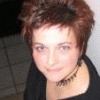
Today I was walking and decided on a goal for myself.....I can't cut my hair until I reach 140.


This is a biggie for me becuase I'm not into much girlie stuff but I love love love my short sassy hair. It is super easy for me to do and I know that if I have to "do" my hair every single day it will keep me on track from straying. Just a few weeks of dealing with my out of control mop and I will be moving and groving my a$$ extra hard to get the mop off my head!!


I even told my kids and made a sign for my cork board to remind me every day why I am doing this.

2 Comments

Recommended Comments

SkyeBlu

LAP-BAND Patients

Today I was walking and decided on a goal for myself.....I can't cut my hair until I reach 140.

This is a biggie for me becuase I'm not into much girlie stuff but I love love love my short sassy hair. It is super easy for me to do and I know that if I have to "do" my hair every single day it will keep me on track from straying. Just a few weeks of dealing with my out of control mop and I will be moving and groving my a$$ extra hard to get the mop off my head!!

I even told my kids and made a sign for my cork board to remind me every day why I am doing this.

cherieinnv

LAP-BAND Patients

Wow! And the first thing I thought when I saw your photo was: LOVE her hair! I'd like to go shorter but I have a tatoo on my neck and work in an uptight corporate environment.

I'll bet this goal will really motivate you. Good luck!

Guest
Add a comment...

Account

Navigation

Search

Search

Configure browser push notifications

Chrome (Android)
  1. Tap the lock icon next to the address bar.
  2. Tap Permissions → Notifications.
  3. Adjust your preference.
Chrome (Desktop)
  1. Click the padlock icon in the address bar.
  2. Select Site settings.
  3. Find Notifications and adjust your preference.