




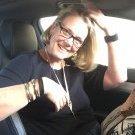
By desertmom
· 1,739 views
Today 2 years ago I had the sleeve.The best gift I ever gave myself.
Its been 2 years of the biggest ups and downs EVER.Sometimes when I read back what I wrote I know its been the hardest and the best 2 years of my life.
After surgery I found out that my happy little family wasnt so happy after all.I developed neuropathy on top of going into menopause and at any other time,my life would have fallen apart.
But having this new lease on life has given me the strength to deal with everything life has thrown my way.My little kid is weight restored,I have in the process dealt with my own eating disorder and life is really good today.
I have been maintaining my weight for the past +- 15 months and I look and feel great.My weight sometimes goes up 5 pounds and then I focus on proteins and bring it down again.I can eat anything and dont take PPI anymore.Of course my capacity is a bit bigger but I am vigilant all the time.I do eat little bits of everything and try not to snack too often.
Sometimes I do still consider plastics (ugg the arms is a big issue) but time and logistics remains a huge problem.And the fact that I am scared..lol
All in all life is great.I will keep posting at least once a year.And should I hit a bump in the road,I will come back to the site and get right back on track again.
Recommended Comments