Skip to content
View in the app

A better way to browse. Learn more.

BariatricPal

A full-screen app on your home screen with push notifications, badges and more.

To install this app on iOS and iPadOS
  1. Tap the Share icon in Safari
  2. Scroll the menu and tap Add to Home Screen.
  3. Tap Add in the top-right corner.
To install this app on Android
  1. Tap the 3-dot menu (⋮) in the top-right corner of the browser.
  2. Tap Add to Home screen or Install app.
  3. Confirm by tapping Install.

50 pounds!

blogs/blog-0250526001375049152.jpg

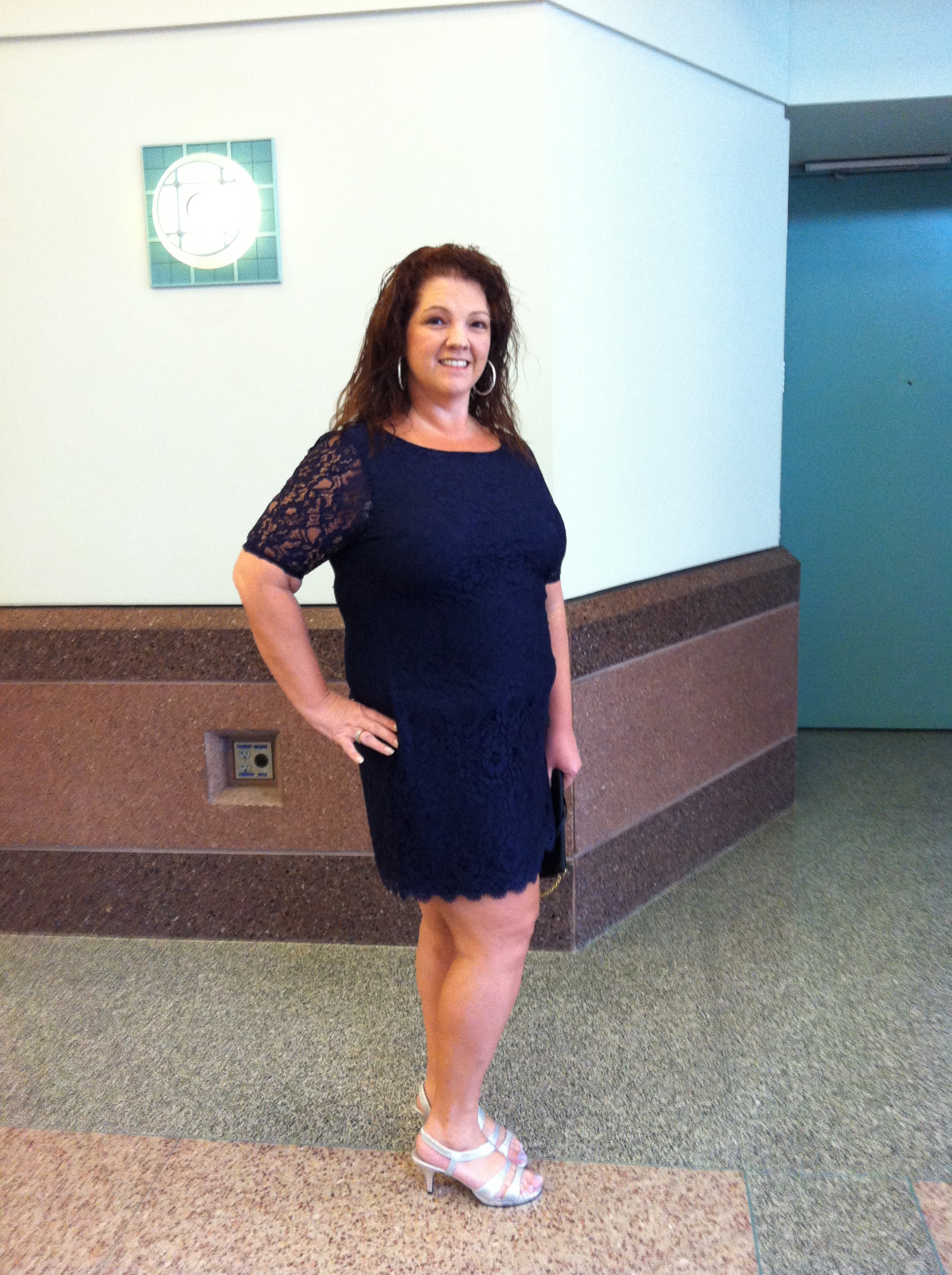
I'm so excited to be down 50 pounds!! I can see and feel a big difference in my clothes - I'm amazed how baggy my clothes are on me. I would love to buy new ones but financially it doesn't make a lot of sense. I've bought some here & there as I've needed them. Like this new dress in my picture. I had a cocktail party for my company sales meeting & yes, I bought it in the regular size section! Who was happier than me in that dressing room? No one!!

1 Comment

Recommended Comments

Cici22

Gastric Bypass Patients

Awesome! Thats has to be a GREAT feeling, not to immediately look for the "Plus Size" section when you enter a store.... I can't wait to enter a store and not have to look up to look for The Plus Size sign!!!

Guest
Add a comment...

Account

Navigation

Search

Search

Configure browser push notifications

Chrome (Android)
  1. Tap the lock icon next to the address bar.
  2. Tap Permissions → Notifications.
  3. Adjust your preference.
Chrome (Desktop)
  1. Click the padlock icon in the address bar.
  2. Select Site settings.
  3. Find Notifications and adjust your preference.