




Skip to content
View in the app

A better way to browse. Learn more.

BariatricPal

A full-screen app on your home screen with push notifications, badges and more.

To install this app on iOS and iPadOS
  1. Tap the Share icon in Safari
  2. Scroll the menu and tap Add to Home Screen.
  3. Tap Add in the top-right corner.
To install this app on Android
  1. Tap the 3-dot menu (⋮) in the top-right corner of the browser.
  2. Tap Add to Home screen or Install app.
  3. Confirm by tapping Install.

Seven Months Post Op
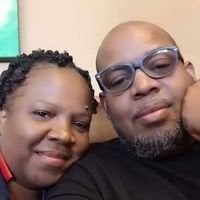
After 7 months I have reach my goal of 190lbs and fell great. The most challenging part of this lourney so far has been to adjust the way I eat. You can no longer take large bites of food, no drinking with your meal and waiting after you drink to eat. Some foods now have very little appeal to me and i avoid heavy foods all together. This was a health choice for me, no high blood pressure, blood sugars are back to normal and my arthiritis is under control so i would have to say my surgery was successful. I have recommened several other people start the process, if you have questions please feel free to email me and i will help any way I can....

1 Comment

Recommended Comments

Guest
Add a comment...

Account

Navigation

Search

Search

Configure browser push notifications

Chrome (Android)
  1. Tap the lock icon next to the address bar.
  2. Tap Permissions → Notifications.
  3. Adjust your preference.
Chrome (Desktop)
  1. Click the padlock icon in the address bar.
  2. Select Site settings.
  3. Find Notifications and adjust your preference.