




Skip to content
View in the app

A better way to browse. Learn more.

BariatricPal

A full-screen app on your home screen with push notifications, badges and more.

To install this app on iOS and iPadOS
  1. Tap the Share icon in Safari
  2. Scroll the menu and tap Add to Home Screen.
  3. Tap Add in the top-right corner.
To install this app on Android
  1. Tap the 3-dot menu (⋮) in the top-right corner of the browser.
  2. Tap Add to Home screen or Install app.
  3. Confirm by tapping Install.
  • Appearance

I Made It To Tijuana
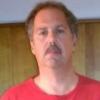
Well I made it. I'm here at the INT hospital in Tijuana Mx. And after a vary FAST ride from the airport. They got me checked in and I'm in room 306. After playing with the TV trying to get an english speaking station Trish came in and told me how to do it. She got me a nice pillow and we talked. She is so nice. I walked past the night nurse who was getting a shoot with a BIG needle ready for someone. I covered my butt as I walked past her and she laughed. Looks like I'm the first one in the morning. The internet works great after you get the password.


Until the morning

2 Comments

Recommended Comments

Smoggy

LAP-BAND Patients

Good luck- you'll be a losing sleever before you know it!

Ms skinniness

Gastric Sleeve Patients

My thoughts and prayers are with you! You will do fine! Congrats on the first day of the rest of your life! :)

Guest
Add a comment...

Account

Navigation

Search

Search

Configure browser push notifications

Chrome (Android)
  1. Tap the lock icon next to the address bar.
  2. Tap Permissions → Notifications.
  3. Adjust your preference.
Chrome (Desktop)
  1. Click the padlock icon in the address bar.
  2. Select Site settings.
  3. Find Notifications and adjust your preference.