
Skip to content
View in the app

A better way to browse. Learn more.

BariatricPal

A full-screen app on your home screen with push notifications, badges and more.

To install this app on iOS and iPadOS
  1. Tap the Share icon in Safari
  2. Scroll the menu and tap Add to Home Screen.
  3. Tap Add in the top-right corner.
To install this app on Android
  1. Tap the 3-dot menu (⋮) in the top-right corner of the browser.
  2. Tap Add to Home screen or Install app.
  3. Confirm by tapping Install.

Hello All!

WOW its been a long time since I have added to this blog. A lot has happened since. I am employed, I lost a nice amount of weight and I am getting used to the fabulosity of it all LOL!!


Anyway, I have finally started to excercise and I am really into ZUMBA! now omg its the best!!!

Here are some recent pics I took the red dress was my 45th birthday yea I am old LOL the second is me at work


I just want to say thank you for all of your support and positive comments
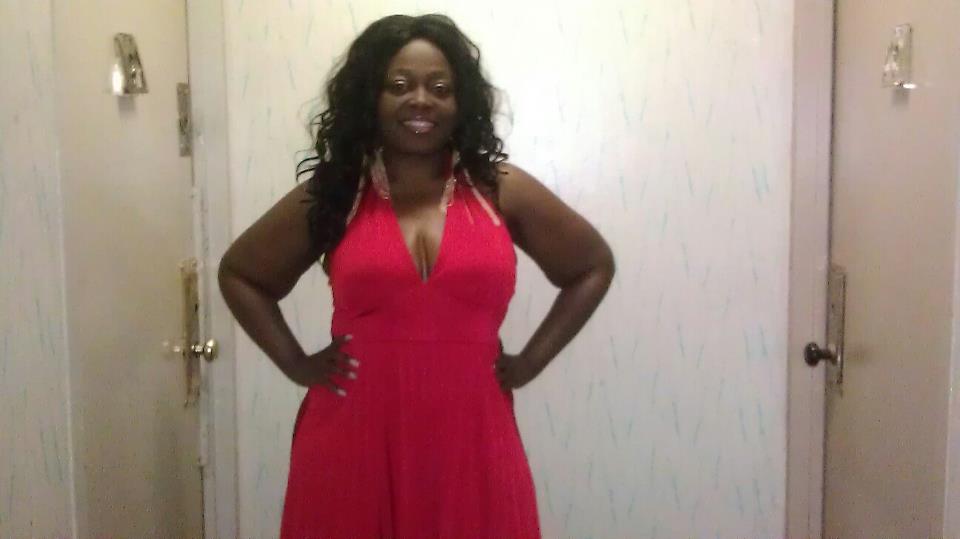


blogentry-4337-13814461032114.jpgblogentry-4337-1381446103271.jpg


xoxoxoxo

Coco

2 Comments

Recommended Comments

Phoenix Rising

LAP-BAND Patients

Wow, Lady in red,

You look fantastic, red is definitely your colour.

Congratulations.

VJSlim

LAP-BAND Patients

You look amazing esp you in red = FAB! :-)

Guest
Add a comment...

Account

Navigation

Search

Search

Configure browser push notifications

Chrome (Android)
  1. Tap the lock icon next to the address bar.
  2. Tap Permissions → Notifications.
  3. Adjust your preference.
Chrome (Desktop)
  1. Click the padlock icon in the address bar.
  2. Select Site settings.
  3. Find Notifications and adjust your preference.