




Skip to content
View in the app

A better way to browse. Learn more.

BariatricPal

A full-screen app on your home screen with push notifications, badges and more.

To install this app on iOS and iPadOS
  1. Tap the Share icon in Safari
  2. Scroll the menu and tap Add to Home Screen.
  3. Tap Add in the top-right corner.
To install this app on Android
  1. Tap the 3-dot menu (⋮) in the top-right corner of the browser.
  2. Tap Add to Home screen or Install app.
  3. Confirm by tapping Install.

JOURNEY WELL WORTH WHILE..........
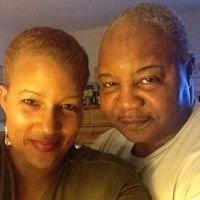
I have been on this journey sence December 2nd when I went on my first siminar,and now I have till June 22nd,I guess thin give the whole diffinition to Journey,I never thought this trip would ever come to an end,if any one wants to know how long there journey would be it runs about 6 months

till everything is complete then you have to wait till per-op testing then the surgery date...I took it as if after the hospital called I was approved and I didnt drive my self crazy....so now the fun begins.....shopping for the proteins and the sugar free foods,juices and the reat of the stuff I will have to get used too.....thanks to all my friends and the support....lots of love camille01...I will keep you all posted....

0 Comments

Recommended Comments

There are no comments to display.

Guest
Add a comment...

Account

Navigation

Search

Search

Configure browser push notifications

Chrome (Android)
  1. Tap the lock icon next to the address bar.
  2. Tap Permissions → Notifications.
  3. Adjust your preference.
Chrome (Desktop)
  1. Click the padlock icon in the address bar.
  2. Select Site settings.
  3. Find Notifications and adjust your preference.