




Skip to content
View in the app

A better way to browse. Learn more.

BariatricPal

A full-screen app on your home screen with push notifications, badges and more.

To install this app on iOS and iPadOS
  1. Tap the Share icon in Safari
  2. Scroll the menu and tap Add to Home Screen.
  3. Tap Add in the top-right corner.
To install this app on Android
  1. Tap the 3-dot menu (⋮) in the top-right corner of the browser.
  2. Tap Add to Home screen or Install app.
  3. Confirm by tapping Install.
  • Appearance

ONEderland has arrived!!
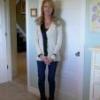
Weighed in at 198.8 today. That's 21.2 pounds down since my August 10th surgery, and 50 pounds down total inc. pre-op diet.:cursing:

Very happy with my decision to get the sleeve; hope everyone else is doing well too.

Dr. Aceves is awesome!! When I get to goal or close to goal, I'll be going back for the inevitable nip/tuck.

1 Comment

Recommended Comments

deedee

LAP-BAND Patients

I just replied on the success forum, but I wanted to say it again here...CONGRATULATIONS!

Guest
Add a comment...

Account

Navigation

Search

Search

Configure browser push notifications

Chrome (Android)
  1. Tap the lock icon next to the address bar.
  2. Tap Permissions → Notifications.
  3. Adjust your preference.
Chrome (Desktop)
  1. Click the padlock icon in the address bar.
  2. Select Site settings.
  3. Find Notifications and adjust your preference.