




Skip to content
View in the app

A better way to browse. Learn more.

BariatricPal

A full-screen app on your home screen with push notifications, badges and more.

To install this app on iOS and iPadOS
  1. Tap the Share icon in Safari
  2. Scroll the menu and tap Add to Home Screen.
  3. Tap Add in the top-right corner.
To install this app on Android
  1. Tap the 3-dot menu (⋮) in the top-right corner of the browser.
  2. Tap Add to Home screen or Install app.
  3. Confirm by tapping Install.
  • Appearance

Um, Nothing To Report Today
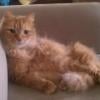
Yesterday was boring! Today is going to be boring!!!! But I like routine. I wake up, feed the cat, take a shower, feed the cat again, get dressed go to work, come home feed the cat again, go to the gym, eat dinner and go to bed.


Well only 44 days until Key West :)


Also I'm obsessed with portobello mini pizzas.....yum!!!!!

4 Comments

Recommended Comments

#MagicWithinme

LAP-BAND Patients

pretty soon the kitty's gonna need a lapband... hehehehe

shues138

LAP-BAND Patients

You don't even know! This cat loves to eat. I don't give him any table food, my boyfriend does and that cat begs like a dog with him! He's a spoiled rotten cat! But I love him!

#MagicWithinme

LAP-BAND Patients

love the boyfriend or the cat???? hahah

shues138

LAP-BAND Patients

Hmmm, no comment ;) lol

Guest
Add a comment...

Account

Navigation

Search

Search

Configure browser push notifications

Chrome (Android)
  1. Tap the lock icon next to the address bar.
  2. Tap Permissions → Notifications.
  3. Adjust your preference.
Chrome (Desktop)
  1. Click the padlock icon in the address bar.
  2. Select Site settings.
  3. Find Notifications and adjust your preference.