




Skip to content
View in the app

A better way to browse. Learn more.

BariatricPal

A full-screen app on your home screen with push notifications, badges and more.

To install this app on iOS and iPadOS
  1. Tap the Share icon in Safari
  2. Scroll the menu and tap Add to Home Screen.
  3. Tap Add in the top-right corner.
To install this app on Android
  1. Tap the 3-dot menu (⋮) in the top-right corner of the browser.
  2. Tap Add to Home screen or Install app.
  3. Confirm by tapping Install.

Beginning To Be Positive!
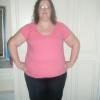
These last few days since i had my surgery are the first few positive days ive had.. Ive begun my own diet that caters to my likes but is still 10 times less then what i used eat. I started the gym now coz the doc said im fit and ready to go and feels fantastic after it. I even went for walk on the beach with my new puppy. I have so much energy i dont no what to do with it. I still have no restriction but i know now that when i do I will be mentally and physically able to handle the dip in food. It feels good to finally feel proud of myself.


Nite


x x x

0 Comments

Recommended Comments

There are no comments to display.

Guest
Add a comment...

Account

Navigation

Search

Search

Configure browser push notifications

Chrome (Android)
  1. Tap the lock icon next to the address bar.
  2. Tap Permissions → Notifications.
  3. Adjust your preference.
Chrome (Desktop)
  1. Click the padlock icon in the address bar.
  2. Select Site settings.
  3. Find Notifications and adjust your preference.