



Skip to content
View in the app

A better way to browse. Learn more.

BariatricPal

A full-screen app on your home screen with push notifications, badges and more.

To install this app on iOS and iPadOS
  1. Tap the Share icon in Safari
  2. Scroll the menu and tap Add to Home Screen.
  3. Tap Add in the top-right corner.
To install this app on Android
  1. Tap the 3-dot menu (⋮) in the top-right corner of the browser.
  2. Tap Add to Home screen or Install app.
  3. Confirm by tapping Install.

Preparing for surgey 2/15/11
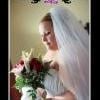
As some of you may already know i am getting banded on 2/15/11 And i am so excited to be taking on this new journery of a new me I had all of my laps ekgs and everything already i just have to do my sleep apena on 1/13 wich might be alittle akward for me but i get to take the machine home and do it there so thats an awesome thing and i am so lucky that i have a very supportive husband he has helped me alot through this whole thing ... as one of my blogs i have written previously was to whin my self of coffee and soda so i can be fully prepared for surgery and yay today is day number two with out them at all i have just been drinking water which is the best thng for you....

1 Comment

Recommended Comments

Formerly LoseIt!

LAP-BAND Patients

Water is excellent for you! I was a Diet Cokeaholic prior to my surgery. I have found that I don't even like it anymore. I always prefer water or tea. Good luck to you!

Guest
Add a comment...

Account

Navigation

Search

Search

Configure browser push notifications

Chrome (Android)
  1. Tap the lock icon next to the address bar.
  2. Tap Permissions → Notifications.
  3. Adjust your preference.
Chrome (Desktop)
  1. Click the padlock icon in the address bar.
  2. Select Site settings.
  3. Find Notifications and adjust your preference.