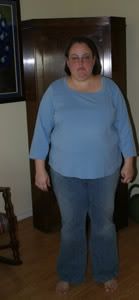
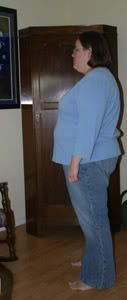
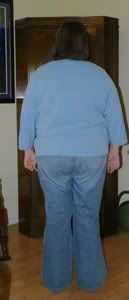
photos Share https://www.bariatricpal.com/blogs/entry/1797-photos/ Share via email Share on Facebook Share on X Share on Reddit More sharing options... Followers Today is the two month anniversary of my surgery. In honor of that, I had some more photos taken. I'm wearing the same outfit as last time, except that my jeans are now a size 22.
kutia LAP-BAND Patients October 4, 200619 yr Author stats Today is the two month anniversary of my surgery. In honor of that, I had some more photos taken. I'm wearing the same outfit as last time, except that my jeans are now a size 22.
Teresita LAP-BAND Patients October 4, 200619 yr Author stats Ohh Kuturia you look great! Keep up the awesome work! I love it that you wore the same clothes, and the jeans in a smaller size. I can really see the diffrence.






Recommended Comments