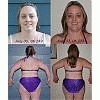
Going in Share https://www.bariatricpal.com/blogs/entry/1449-going-in/ Share via email Share on Facebook Share on X Share on Reddit More sharing options... Followers Im in Mexico since yesterday. WHAT an experience! Waiting for the van to take the group of us to the clinic for surgery today. Feeling jittery, nervous, and good all at the same time. I will post again after surgery!!
LittleBird LAP-BAND Patients August 16, 200620 yr Author stats Im in Mexico since yesterday. WHAT an experience! Waiting for the van to take the group of us to the clinic for surgery today. Feeling jittery, nervous, and good all at the same time. I will post again after surgery!!
Guest MoOrLess Guests August 16, 200620 yr woo hoo girl! the next time you post you'll be banded! You are in my prayers today for a safe and quick surgery and recovery! HUGS to you!





Recommended Comments