



Skip to content
View in the app

A better way to browse. Learn more.

BariatricPal

A full-screen app on your home screen with push notifications, badges and more.

To install this app on iOS and iPadOS
  1. Tap the Share icon in Safari
  2. Scroll the menu and tap Add to Home Screen.
  3. Tap Add in the top-right corner.
To install this app on Android
  1. Tap the 3-dot menu (⋮) in the top-right corner of the browser.
  2. Tap Add to Home screen or Install app.
  3. Confirm by tapping Install.

Sugery August 8th!

I have not posted for so long because I didn't know where to do it at! DUH.

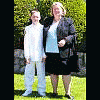
I was not sure my picture was up either. I look like a nun. real sexy. All is ready to go for the surgery etc. We are thinking of moving and that is keeping my mind off of worrying. I have cut way back on eating. I'm taking the vitamins ,drinking the water and exercising more than before. and making sure I chew well. and practice not drinking the 1/2 hour before and after the meal. so this way it won't be so foriegn to me after surgery. well that's it for now Patti

2 Comments

Recommended Comments

PattiU

LAP-BAND Patients

I have not posted for so long because I didn't know where to do it at! DUH.

I was not sure my picture was up either. I look like a nun. real sexy. All is ready to go for the surgery etc. We are thinking of moving and that is keeping my mind off of worrying. I have cut way back on eating. I'm taking the vitamins ,drinking the water and exercising more than before. and making sure I chew well. and practice not drinking the 1/2 hour before and after the meal. so this way it won't be so foriegn to me after surgery. well that's it for now Patti

Teresita

LAP-BAND Patients

You are almost there. The important thing after surgery is to stay hydrated. You won't be thinking about food for a few days but you will be thirsty. Keep up the great work.

Guest
Add a comment...

Account

Navigation

Search

Search

Configure browser push notifications

Chrome (Android)
  1. Tap the lock icon next to the address bar.
  2. Tap Permissions → Notifications.
  3. Adjust your preference.
Chrome (Desktop)
  1. Click the padlock icon in the address bar.
  2. Select Site settings.
  3. Find Notifications and adjust your preference.