Skip to content
View in the app

A better way to browse. Learn more.

BariatricPal

A full-screen app on your home screen with push notifications, badges and more.

To install this app on iOS and iPadOS
  1. Tap the Share icon in Safari
  2. Scroll the menu and tap Add to Home Screen.
  3. Tap Add in the top-right corner.
To install this app on Android
  1. Tap the 3-dot menu (⋮) in the top-right corner of the browser.
  2. Tap Add to Home screen or Install app.
  3. Confirm by tapping Install.

My surgery scrapbook

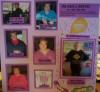
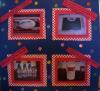
I thought it would be fun for everyone who had a surgery scrapbook to post them here for all to see and enjoy! I'll show you mine if you show me yours!!

Ok, here is mine.

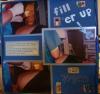
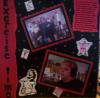
Page 1 is me begining the Journey. Leaving home, hospital, surgeon and nurse, after surgery and first meal (chicken broth) and then "I'm Home!!"

post-204341-13813132205946_thumb.jpg

  • Replies 13
  • Views 1.6k
  • Created
  • Last Reply

Top Posters In This Topic

Posted Images

Featured Replies

Awww - I wish I had thought to do something like that! I didn't even take a proper before picture lol. Had no excuse either cause I had nothing but time on my hands.

That's really cool, coyotegirl :) Thanks for sharing!

  • Author

I just LOVE to scrapbook! I take my camera with me every where I go and am always thinking of what I can do on a scrapbook page????? I see a tree or a flower or even a different shape cloud and think that it would make a great background for a page. I have soooo many scrapbooks here at home that I don't have much more room to store them!!

Thats a great idea!! I never thought of a lap band scrap book. I just started scraping and I can't stop. I am on my third one in a month! But that is a really cool idea!

Oh wow Terri your a good scrapbooker... mine Lapband scrap book doesnt look as good as yours, and I havent put as much stuff in mine as you have... It looks great!!! I know mine is very inspiring to me, and Im sure yours is to you too... Good Job!!

that's great - wish I would have done something like this. I too didn't even take a before pic - and no excuses here - just didn't do it. Maybe because I have pics that are recent.

Join the conversation

You can post now and register later. If you have an account, sign in now to post with your account.

Guest
Reply to this topic...

Trending Products

PatchAid Vitamin Patches

Account

Navigation

Search

Search

Configure browser push notifications

Chrome (Android)
  1. Tap the lock icon next to the address bar.
  2. Tap Permissions → Notifications.
  3. Adjust your preference.
Chrome (Desktop)
  1. Click the padlock icon in the address bar.
  2. Select Site settings.
  3. Find Notifications and adjust your preference.