Skip to content
View in the app

A better way to browse. Learn more.

BariatricPal

A full-screen app on your home screen with push notifications, badges and more.

To install this app on iOS and iPadOS
  1. Tap the Share icon in Safari
  2. Scroll the menu and tap Add to Home Screen.
  3. Tap Add in the top-right corner.
To install this app on Android
  1. Tap the 3-dot menu (⋮) in the top-right corner of the browser.
  2. Tap Add to Home screen or Install app.
  3. Confirm by tapping Install.

5th fill today!

I went in for my 5th fill today. another 1cc put in. :) On liquids for today and muchy food tomorrow.

I had the nurse take some pictures so I will try to post them. You notice I said try. I have never done this before so bear with me.

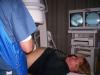
this pic is when He was first starting out you can see My port on the screen.

post-204341-13813131957969_thumb.jpg

  • Replies 20
  • Views 2.3k
  • Created
  • Last Reply

Top Posters In This Topic

Posted Images

Featured Replies

I'm wondering how much of the actual needle goes into your port/skin.

If it's just a portion of the tip - I wouldn't think it would matter how big the needle itself is.

Thanks, for the info!!!!

Patti

  • Author

Patti, here is another pic. of the needle all the way in. My local Doc uses a smaller needle and still does the fill. So who knows why they use different needles?

post-204341-13813132623607_thumb.jpg

Yes, the needle is huge. But I promise, you shouldn't feel it. I've never been numbed either. It makes kind of a pop sound when the needle enters the port, but other than that it's nothing.

  • 8 months later...

Hi I went in for an adjustment friday and my dr. didnt use a big needle. but it took him a long time to find my port. I have a big bruse where he used the needle. do you usually get a bruse after a fill?

thank you

Join the conversation

You can post now and register later. If you have an account, sign in now to post with your account.

Guest
Reply to this topic...

Trending Products

PatchAid Vitamin Patches

Account

Navigation

Search

Search

Configure browser push notifications

Chrome (Android)
  1. Tap the lock icon next to the address bar.
  2. Tap Permissions → Notifications.
  3. Adjust your preference.
Chrome (Desktop)
  1. Click the padlock icon in the address bar.
  2. Select Site settings.
  3. Find Notifications and adjust your preference.