Skip to content
View in the app

A better way to browse. Learn more.

BariatricPal

A full-screen app on your home screen with push notifications, badges and more.

To install this app on iOS and iPadOS
  1. Tap the Share icon in Safari
  2. Scroll the menu and tap Add to Home Screen.
  3. Tap Add in the top-right corner.
To install this app on Android
  1. Tap the 3-dot menu (⋮) in the top-right corner of the browser.
  2. Tap Add to Home screen or Install app.
  3. Confirm by tapping Install.
  • Appearance

Join BariatricPal free

  • Ask your own questions
  • Reply and follow topics
  • Message other members
  • No cost, no spam

November Nymphs Pictures

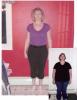
I thought it would be fun to post progress pictures. I see the pictures of me now and still think that I look so fat but compared to my before picture I look so much better.

The first picture is 12.24.07 which is one month and four days after surgery. The second is today.

Edited by Skinny_Jill

  • Replies 65
  • Views 7.4k
  • Created
  • Last Reply

Top Posters In This Topic

Most Popular Posts

  • Hey... I am checkin' in, but it looks like it is too late. Good job on your progress. Isn't it AMAZING what our bodies are doing. Consuming all this fat hanging on to us! I posted these pics in t

Posted Images


Featured Replies

  • Author

See Below. Re-sized pictures.

Edited by Skinny_Jill

  • Author

I am having trouble resizing. If TXArcher checks in I know he can help me.

Hi Skinny Jill!

You look fabulous! I see the difference. I know what you mean because I still don't see it either but I do see it in sizes. I am going to try to post pictures of myself but may need TXArcher's help to.

Cindy

  • Author

I am going to try this again.

post-30048-1381366592432_thumb.jpg

Christmas 2007 - 1 month and 4 days after surgery

post-30048-13813665923836_thumb.jpg

Today 03/28/08

post-225959-13813136763646_thumb.jpg

post-225959-13813136763805_thumb.jpg

Edited by Skinny_Jill

  • Author
Hi Skinny Jill!

You look fabulous! I see the difference. I know what you mean because I still don't see it either but I do see it in sizes. I am going to try to post pictures of myself but may need TXArcher's help to.

Cindy

Thanks Cindy!

  • Author
Skinny Jill-

How did you resize your pictures to get them smaller? I would love to post mine but the darn things are way to big.

Cindy

I used Microsoft Office Picture Manager and in the Picture menu there is a resize option. I played with it until I got it to work.

Hey... I am checkin' in, but it looks like it is too late. Good job on your progress. Isn't it AMAZING what our bodies are doing. Consuming all this fat hanging on to us!

I posted these pics in the B&A thread but I will post again here. Today is my 4 month mark and I will try to get some other pics taken today and get them up to commemorate the 1/3yr. point

Black shirt is just this month. All dressed up for family portraits. (and then a date!)

White shirt is spring '07 about 375 or so...

The little tigger picture is this past Halloween. I was right at 400 at Halloween. :)

My wife just made a good point. She said "so, you were 400 at Halloween and 328 by Easter!" That kinda puts it into a different perspective.

post-220418-13813136764315_thumb.jpg

post-220418-13813136764557_thumb.jpg

post-220418-13813136764696_thumb.jpg

I used Microsoft Office Picture Manager and in the Picture menu there is a resize option. I played with it until I got it to work.

I just downloaded the Windows XP power toys image resizing utility. It embeds itself into XP and all you have to do is right click on any image file and one of the options on the flyout menu is Resize Image. It gives you the options of small, medium, and large format as well as a format for making things like Avatars out of any image. That is a good thing to have for all of us forum junkies!

Here is the link to the microsoft site for the download.

Microsoft PowerToys for Windows XP

Download from the Right sidebar.

These are my before pictures and one after where I have lost 60lbs. I am at 88lbs lost now and will post another picture when I get batteries for camera but for now. These are it. I am so shocked at how fat I was....what a difference 5 months makes.

Cindy

post-223437-13813136820006_thumb.jpg

post-223437-13813136820244_thumb.jpg

post-223437-13813136820428_thumb.jpg

post-223437-13813136820597_thumb.jpg

post-223437-13813136820701_thumb.jpg

Edited by hollyberries

Wow!!!! You all look fantastic!!!! I'll have to look back and see if I can find some before pictures.

I just can't seem to understand how to post pics. I've read the directions, but I just can't seem to get it right. Do I copy and paste the pics from the file on my computer or do I go to shutterfly where I have pics stored and copy?:thumbup:

I just can't seem to understand how to post pics. I've read the directions, but I just can't seem to get it right. Do I copy and paste the pics from the file on my computer or do I go to shutterfly where I have pics stored and copy?:thumbup:

When you want to post a picture you click on reply then scroll down to Manage Attachments. A new window opens, so you click on browse. When you find the picture you want you click on it then click on upload. You then close that window and submit your message. The photos should be in that message. Good luck.

Before photos taken on 31 Oct 2007 and the after photos were taken on 27 January 2008. Haven't lost much since. Not quite there yet but I can see a difference.

post-224630-13813136768229_thumb.jpg

post-224630-13813136768343_thumb.jpg

post-224630-13813136768442_thumb.jpg

post-224630-13813136768561_thumb.jpg

I'm away for the weekend and just checking in briefly, it's so great to see you all in person!

Everyone is looking so great!

I'm afraid to go home and get on the scale, had wine AND dessert yesterday, but also lots fun (laughs) with my two girlffriends!

Join the conversation

You can post as a guest; create a free account to track replies, follow topics, and be part of the largest weight loss surgery community.

Join the conversation

You can post now and register later. If you have an account, sign in now to post with your account.

Guest
Reply to this topic...

Account

Navigation

Search

Search

Configure browser push notifications

Chrome (Android)
  1. Tap the lock icon next to the address bar.
  2. Tap Permissions → Notifications.
  3. Adjust your preference.
Chrome (Desktop)
  1. Click the padlock icon in the address bar.
  2. Select Site settings.
  3. Find Notifications and adjust your preference.