Skip to content
View in the app

A better way to browse. Learn more.

BariatricPal

A full-screen app on your home screen with push notifications, badges and more.

To install this app on iOS and iPadOS
  1. Tap the Share icon in Safari
  2. Scroll the menu and tap Add to Home Screen.
  3. Tap Add in the top-right corner.
To install this app on Android
  1. Tap the 3-dot menu (⋮) in the top-right corner of the browser.
  2. Tap Add to Home screen or Install app.
  3. Confirm by tapping Install.

Taco salad

  • Replies 4
  • Views 1.1k
  • Created
  • Last Reply

Top Posters In This Topic

Most Popular Posts

  • The Greater Fool
    The Greater Fool

    Here at The Greater Fool Laboratories, we are here to serve and support you. If you carefully package this taco salad and send it on to The Greater Fool Laboratories we will ensure that it makes

  • Ugh. This was meant to go in the food before and after thread. I don't know how I managed to put it here and I can't for the life of me figure out how to edit things on the mobile app. Sorry! Sent f

  • WishMeSmaller
    WishMeSmaller

    Looks yummy regardless of where you posted! ?

Posted Images
Featured Replies

8 minutes ago, STLoser said:

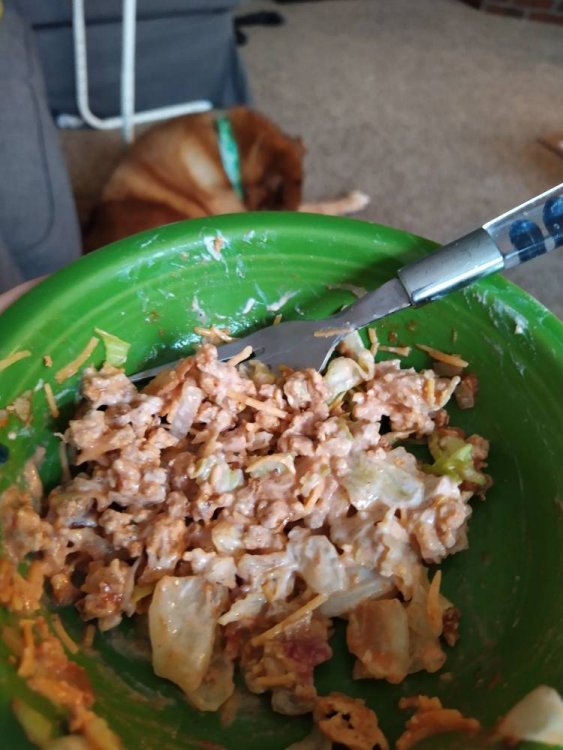
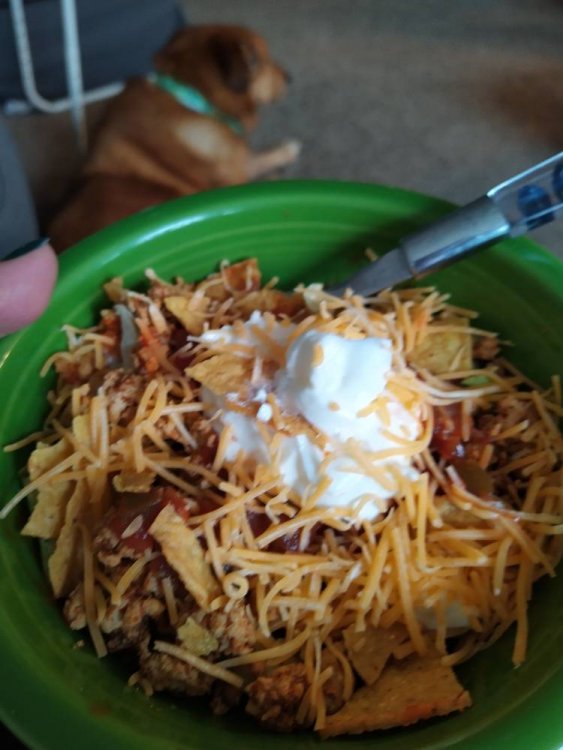
Taco salad from leftover tacos:

2 oz. Leftover ground turkey breast with homemade taco seasoning, 1/4 cup lettuce, 1 T Fage 0% plain greek yogurt, 1/4 cup salsa, Cholula hot sauce, and 1 T reduced fat cheddar. IMG_20201020_153243.jpg JPEG_20201020_154113_2459948371755812475.jpg

Sent from my Nokia 7.2 using BariatricPal mobile app

Looks yummy regardless of where you posted! ?

Here at The Greater Fool Laboratories, we are here to serve and support you.

If you carefully package this taco salad and send it on to The Greater Fool Laboratories we will ensure that it makes it over to the appropriate forum.

Thank you for supporting TGFL.

Tek

Join the conversation

You can post now and register later. If you have an account, sign in now to post with your account.

Guest
Reply to this topic...

Trending Products

PatchAid Vitamin Patches

Account

Navigation

Search

Search

Configure browser push notifications

Chrome (Android)
  1. Tap the lock icon next to the address bar.
  2. Tap Permissions → Notifications.
  3. Adjust your preference.
Chrome (Desktop)
  1. Click the padlock icon in the address bar.
  2. Select Site settings.
  3. Find Notifications and adjust your preference.