Skip to content
View in the app

A better way to browse. Learn more.

BariatricPal

A full-screen app on your home screen with push notifications, badges and more.

To install this app on iOS and iPadOS
  1. Tap the Share icon in Safari
  2. Scroll the menu and tap Add to Home Screen.
  3. Tap Add in the top-right corner.
To install this app on Android
  1. Tap the 3-dot menu (⋮) in the top-right corner of the browser.
  2. Tap Add to Home screen or Install app.
  3. Confirm by tapping Install.
  • Appearance

Join BariatricPal free

  • Ask your own questions
  • Reply and follow topics
  • Message other members
  • No cost, no spam

Surgery date will not change on profile

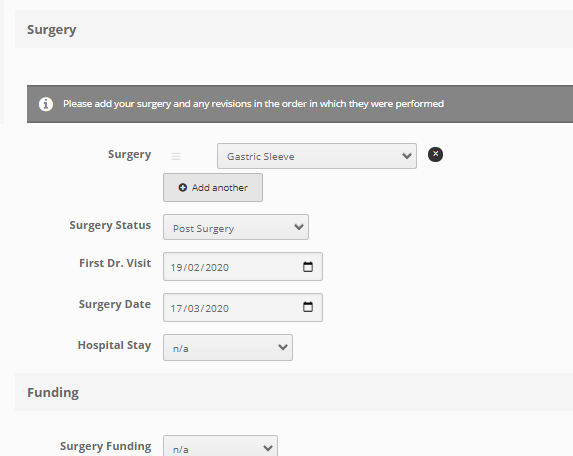
For some reason, my profile will not allow me to correct my surgery date. Every time I try to correct it, it reverts to the date before the actual date I put in.

  • Replies 8
  • Views 6.7k
  • Created
  • Last Reply

Top Posters In This Topic

Posted Images

Featured Replies

Mine is the same I accidentally put in a day early and when I change it it won’t persist. This is in app, haven’t tried to change it on the web version.
  • Author
I had thought that I accidentally put mine in a day early too. But now that you say you’re experiencing the same thing, I don’t think the problem is us. I think the system is reverting it to a day earlier somehow.
Yup you’re right. I put mine as June 13 and it changed it to the 12th (my actual date). Thanks!
2 minutes ago, Alsgal said:

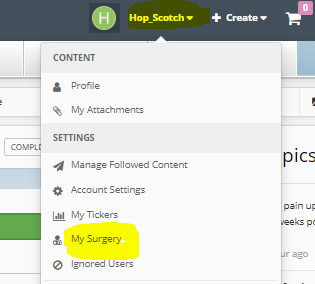
where do I go to add my surgery date? It shows me pre op. I have tried 20 times :(

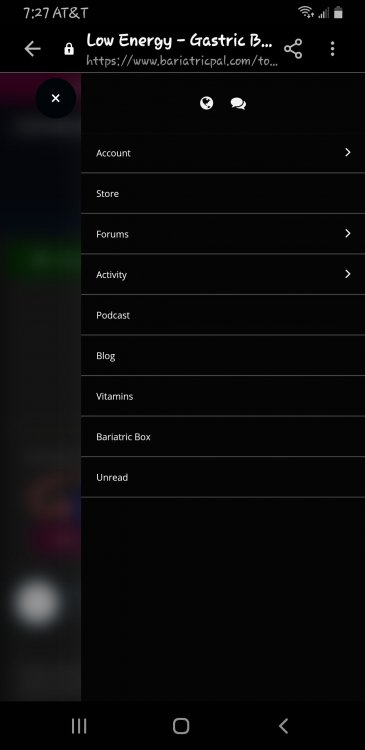
Click on the down arrow next to your user name, then click my surgery

image.png

image.png

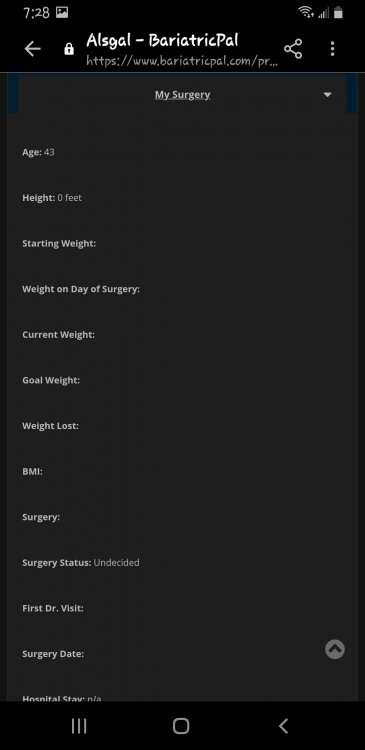
When I do get this to pull up it won't let me write on it. I'm about tired of it by now anyways. Thank you for trying.

Screenshot_20201012-072851_Samsung Internet.jpg

  • 4 months later...
On 10/12/2020 at 6:37 AM, Alsgal said:

When I do get this to pull up it won't let me write on it. I'm about tired of it by now anyways. Thank you for trying.

Screenshot_20201012-072851_Samsung Internet.jpg

This is exactly what mine looks like and I cannot change the information. Anyone have any suggestions?

Join the conversation

You can post as a guest; create a free account to track replies, follow topics, and be part of the largest weight loss surgery community.

Join the conversation

You can post now and register later. If you have an account, sign in now to post with your account.

Guest
Reply to this topic...

Account

Navigation

Search

Search

Configure browser push notifications

Chrome (Android)
  1. Tap the lock icon next to the address bar.
  2. Tap Permissions → Notifications.
  3. Adjust your preference.
Chrome (Desktop)
  1. Click the padlock icon in the address bar.
  2. Select Site settings.
  3. Find Notifications and adjust your preference.