Skip to content
View in the app

A better way to browse. Learn more.

BariatricPal

A full-screen app on your home screen with push notifications, badges and more.

To install this app on iOS and iPadOS
  1. Tap the Share icon in Safari
  2. Scroll the menu and tap Add to Home Screen.
  3. Tap Add in the top-right corner.
To install this app on Android
  1. Tap the 3-dot menu (⋮) in the top-right corner of the browser.
  2. Tap Add to Home screen or Install app.
  3. Confirm by tapping Install.
  • Cart

Mrs

  • Replies 2
  • Views 763
  • Created
  • Last Reply

Top Posters In This Topic

Most Popular Posts

  • You are given a tool - However you need to set up the workshop! 1. Read this site 2. Get your head ready - Mind games are brutal - Search back for a long post i did how i crashed 3. Be
Posted Images

Featured Replies

You are given a tool - However you need to set up the workshop!

1. Read this site

2. Get your head ready - Mind games are brutal - Search back for a long post i did how i crashed

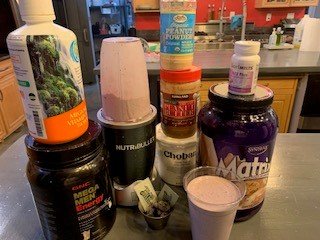
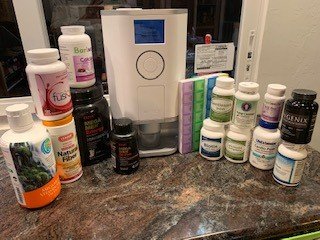
3. Become so freakin educated in vitamins and minerals that you think your a nutritionist - Ok you do not have to get as nuts as i am but this was the key to my success!

4. Enjoy the journey. When you mind starts second guessing your decision, Its wrong its the best decision you could make.

5. This is not a weight loss program, This is a journey to get you healthy and happy and in shape.

6. Lastly do not weigh yourself every hour! you will end up in a special room with a jacket that buckles in the back!

Welcome to the losers club and all of us are here to pay back the support we got on our journey

Vitamins.jpg

Smothies.jpg

Join the conversation

You can post now and register later. If you have an account, sign in now to post with your account.

Guest
Reply to this topic...

Trending Products

PatchAid Vitamin Patches

Account

Navigation

Search

Search

Configure browser push notifications

Chrome (Android)
  1. Tap the lock icon next to the address bar.
  2. Tap Permissions → Notifications.
  3. Adjust your preference.
Chrome (Desktop)
  1. Click the padlock icon in the address bar.
  2. Select Site settings.
  3. Find Notifications and adjust your preference.