




- Replies 22
- Views 1.9k
- Created
- Last Reply
Top Posters In This Topic
-
Road2Newme3 9 posts
-
newself 2 posts
-
ALFxRNY 1 post
-
sello 1 post





Featured Replies
Join the conversation
You can post as a guest; create a free account to track replies, follow topics, and be part of the largest weight loss surgery community.
It's crazy how fast these months went by! I'll be 4 months post op on the 11th! I'm amazed at how much better I feel in both general and also in working out. I'm a nursing student and I'm amazed that after my clinical day (11hrs on our feet) I still want to go to the gym to work out!
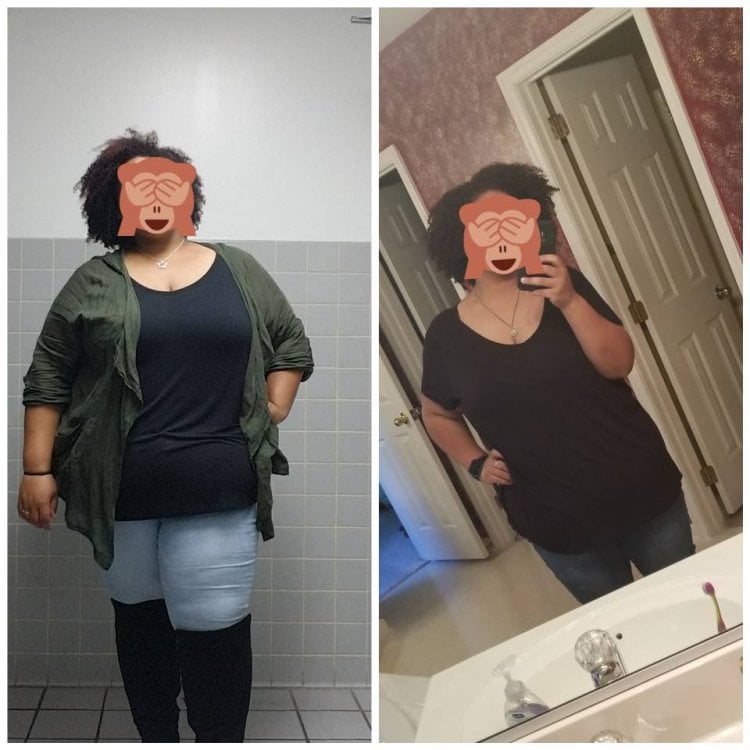
It's kind of weird that when I go around in my normal day, I still feel like I look like I'm 355lbs. I don't feel like I look smaller, when I buy clothes and see the smaller size and it actually fits, but I still feel just as fat, just in different sizes... But I can definitely see a difference in side by side pictures. I remember reading from post vsg patients having the same issue and now experiencing it myself is just weird. I try to do a side by side picture at least once a month so my brain can start to realize, I'm not as big as I was. I do love the energy though, and I know my brain will eventually catch up! How is everyone else doing? Post pictures, I love to see all the progress!
Hw: 355lbs (1/5/17) size 24/26, 3-4x
Surgery weight: 321lbs(12/11/17)
Cw: 263.5lbs (3/20/18) size 18, 2x