Skip to content
View in the app

A better way to browse. Learn more.

BariatricPal

A full-screen app on your home screen with push notifications, badges and more.

To install this app on iOS and iPadOS
  1. Tap the Share icon in Safari
  2. Scroll the menu and tap Add to Home Screen.
  3. Tap Add in the top-right corner.
To install this app on Android
  1. Tap the 3-dot menu (⋮) in the top-right corner of the browser.
  2. Tap Add to Home screen or Install app.
  3. Confirm by tapping Install.

Protein shake

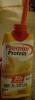
I started my liquid diet yesterday. I was getting nervous because I'm not a good drinker. I had a meeting at the police dept so I freezed up my Protein shake. Thank God I did because it was easier for me to drink it. I just made believe it was a ice cream shake. I love the flavor, so if anyone needs another way to drink theprotein shake freeze it.

Good luck to all.

post-301564-1480649301148_thumb.jpg

Sent from my SAMSUNG-SM-N920A using the BariatricPal App

  • Replies 2
  • Views 453
  • Created
  • Last Reply

Featured Replies

I just told my hub I needed to get to Sam's to pick up some of these. I have Protein powders at work, but want the convenience of these for pre-op diet in a few weeks. Thanks for freezing idea

Sent from my SM-G900H using the BariatricPal App

Archived

This topic is now archived and is closed to further replies.

Trending Products

PatchAid Vitamin Patches

Account

Navigation

Search

Search

Configure browser push notifications

Chrome (Android)
  1. Tap the lock icon next to the address bar.
  2. Tap Permissions → Notifications.
  3. Adjust your preference.
Chrome (Desktop)
  1. Click the padlock icon in the address bar.
  2. Select Site settings.
  3. Find Notifications and adjust your preference.